Top 10 AI Video Generators in 2026
10Jun

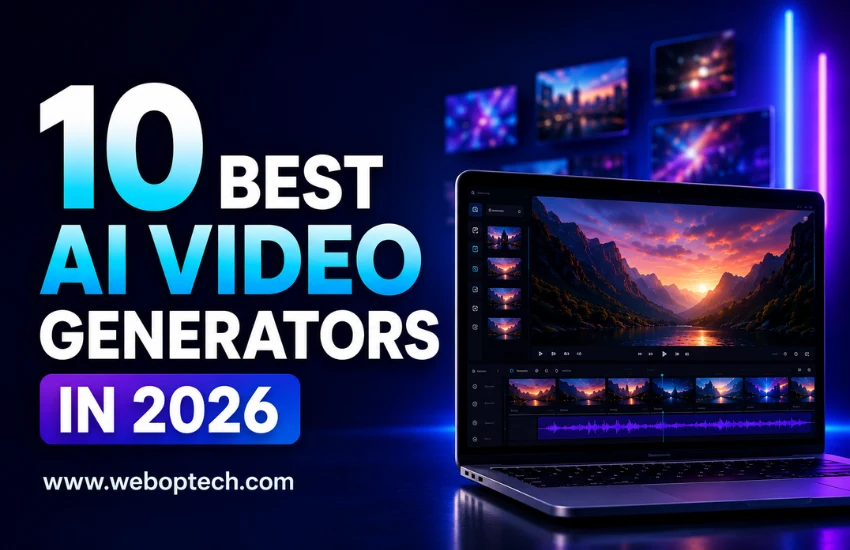
10 Best AI Video Generators in 2026

By WEBOPTECH | Social Media Marketing Insights

Let’s be honest – video content is no longer optional for businesses. It drives engagement, builds trust, and converts better than any other format on social media. As a Social Media Executive at WEBOPTECH Solutions, I’ve personally tested dozens of AI video tools to create content for our clients across industries. Some tools saved hours of work. Others were a complete waste of time and budget.

This guide cuts through the noise. Here are the 10 best AI video generators in 2026 – tools that actually deliver results for marketers, agencies, and growing businesses. And if you’re also looking to streamline your broader workflow, check out our guide on the best AI tools for social media marketing, where we cover content planning, scheduling, and more.

Quick Note:
Not all AI video tools work the same way. Some are built for text-to-video generation, others specialize in avatar-based videos or social media clips. Choose a tool based on your specific content goal – not just popularity or hype.

Quick Comparison Table – 10 Best AI Video Generators in 2026


Tool Best For Free Plan Free Trial Starting Price
Sora by OpenAI Cinematic storytelling No No $20/mo (via ChatGPT Plus)
Runway Gen-4.5 Creative & cinematic control Yes (125 credits) No $12/mo
Synthesia Avatar & multilingual videos Yes (limited) No $29/mo
Pika Labs Social media short clips Yes (with watermark) No $8/mo
HeyGen Personalized & translated video Yes (3 videos/mo) No $29/mo
InVideo AI Script-to-video for marketers Yes (with watermark) No $28/mo
Kling AI Realistic human motion Yes (free tier) No $6.99/mo
Luma Dream Machine Cinematic & atmospheric content Yes (limited credits) No $7.99/mo
Descript AI-powered video editing Yes (with watermark) No $24/mo
Canva AI Video Beginners & branded content Yes (basic) Yes (30 days) $15/mo (Canva Pro)


1. Sora by OpenAI

  • Best for: Cinematic brand storytelling and premium visual content
  • Free basic version available: No
  • Free trial period: No – accessible via ChatGPT Plus or Pro subscription
  • Pricing: $20/mo (ChatGPT Plus – unlimited 480p) | $200/mo (ChatGPT Pro – up to 1080p with 10,000 credits)

OpenAI’s Sora 2 has firmly established itself as the benchmark for text-to-video quality in 2026. It generates cinematic, high-resolution videos from detailed text prompts with remarkable accuracy in motion, physics, and depth – including synchronized audio that matches the visual content natively.

What sets Sora apart is its narrative consistency. It’s particularly strong at maintaining temporal flow, making videos feel like a coherent story rather than a stitched-together collection of clips. For brands that need premium visual content without a production team, Sora is worth the investment.

Limitation: Requires detailed prompts for consistent results. Individual clip length is capped at 20 seconds, so longer videos need stitching in post-production.

2. Runway Gen-4.5

  • Best for: Filmmakers, creative agencies, and advanced video production
  • Free basic version available: Yes – one-time 125 credits on free plan
  • Free trial period: No formal trial, but free credits allow meaningful testing
  • Pricing: $12/mo (Standard – 625 credits) | $35/mo (Pro – 2,250 credits) | $95/mo (Unlimited)

Runway continues to be the go-to platform for creative professionals who want granular control alongside quality output. Gen-4.5 leads industry benchmarks for camera motion, scene consistency, and 4K upscaling. The multi-motion brush tool allows frame-level creative direction that no other tool currently matches.

For social media marketing teams running multiple client accounts, Runway’s consistency and creative control deliver a significant competitive edge. It’s the right choice for high-production value campaigns where brand aesthetics are non-negotiable.

Limitation: Higher learning curve for beginners. Credit-based system can add up quickly at high output volumes.

3. Synthesia

  • Best for: Avatar-led explainer videos, corporate training, multilingual campaigns
  • Free basic version available: Yes – 3 minutes per month with watermark
  • Free trial period: No dedicated trial – free plan available to start
  • Pricing: $29/mo (Starter – 125+ avatars, 120 min/year) | Enterprise pricing available

Synthesia is the gold standard for AI avatar videos. You type a script, choose from 160+ AI presenters, and get a professional talking-head video – no camera, no studio, no recording setup needed. In 2026, it supports over 230 languages with accurate lip-sync, making it the most mature platform for multilingual video at scale.

We’ve used Synthesia at WEBOPTECH for client onboarding videos and multilingual ad content. It cuts production time by nearly 80% while maintaining a professional, on-brand look every time.

Limitation: Not ideal for dynamic or action-heavy content. Can appear slightly artificial on large screens at close range.

4. Pika Labs

  • Best for: Social media short clips, quick visual content, experimental creative work
  • Free basic version available: Yes – free tier with watermark
  • Free trial period: No – free plan available directly
  • Pricing: $8/mo (Basic) | Higher tiers available for volume

Pika Labs is one of the fastest-growing AI video platforms in 2026. It specializes in short-form, high-energy video clips optimized for Instagram Reels, YouTube Shorts, and similar formats. The interface is clean, the output is sharp, and the turnaround is fast – typically 10-15 seconds per generation.

Unique features like Pikaframes (interpolation between two images), Pikaffects (stylized visual transformations), and AI Lip Sync make it a genuinely versatile creative tool. For teams managing Instagram marketing or YouTube content at volume, Pika is the most accessible high-output option available.

Limitation: Less reliable for complex scenes with multiple moving elements. Resolution is lower on the free plan (480p).

5. HeyGen

  • Best for: Personalized video marketing, sales outreach, multilingual video translation
  • Free basic version available: Yes – up to 3 videos per month
  • Free trial period: No formal trial – free plan available
  • Pricing: $29/mo (Creator – unlimited videos) | $39/mo per seat (Team – 4K export, collaboration)

HeyGen combines avatar technology with business-grade features that go beyond basic video creation. Its standout capability in 2026 is AI-powered video translation – it takes an existing video of a real person and realistically dubs it into multiple languages, cloning the original speaker’s voice and syncing lip movements to match perfectly.

For brands running personalized outreach campaigns or targeting multilingual audiences, HeyGen adds a human touch at scale that no other tool replicates as convincingly.

Limitation: Free plan is significantly restricted. Best value is unlocked at the Creator tier and above.

💡 Pro Tip from Our Team: When using AI avatar tools like Synthesia or HeyGen, always add your brand’s color palette, logo overlay, and a clear CTA to every video. An AI video without brand identity is just content – not marketing. The tools generate the video; your branding makes it convert.

6. InVideo AI

  • Best for: Script-to-video production, content repurposing, ad creatives for marketers
  • Free basic version available: Yes – with watermark and limited exports
  • Free trial period: No – free plan available to start
  • Pricing: $28/mo (Plus) | $50/mo (Max – voice cloning, longer exports)

InVideo AI stands out in 2026 for one major reason: it’s the only platform that bundles both OpenAI’s Sora 2 and Google’s VEO 3.1 within a single subscription – two frontier models that would cost $450+/month separately. It turns a text prompt into a complete video with script, footage, voiceover, subtitles, music, and transitions automatically.

For businesses looking to repurpose their SEO content and blog posts into video format quickly and affordably, InVideo AI offers the strongest end-to-end pipeline in its price range. It’s also the tool we most recommend to clients who are new to AI video production and want results fast.

Limitation: Credit costs for frontier models are billed at API rates within the platform. Stock footage-heavy outputs can sometimes feel template-like in style.

7. Kling AI

  • Best for: Realistic human motion, lifestyle content, budget-conscious video production
  • Free basic version available: Yes – free tier with 5-second generations available
  • Free trial period: No – free plan available
  • Pricing: $6.99/mo (Standard – ~22 videos/month) | $37/mo (Pro – ~50 videos/month)

Kling AI by Kuaishou is the strongest budget-friendly option for realistic video in 2026. Its handling of facial expressions, body movement, and clothing physics outperforms most Western competitors at equivalent price points – making it particularly effective for human-centric content.

Brands in healthcare, travel, or real estate will find Kling’s realistic visual output highly effective for trust-building content. At $6.99/month, it offers the best credit-to-dollar ratio in the market right now – and the free tier is genuinely useful for testing before committing.

Limitation: Prompt adherence for complex compositional requests is weaker than Sora or Runway. Interface is less polished than US-based alternatives.

8. Luma Dream Machine

  • Best for: Premium cinematic content, atmospheric scenes, luxury and travel brands
  • Free basic version available: Yes – limited free credits
  • Free trial period: No formal trial
  • Pricing: $7.99/mo (Lite) | Higher tiers for professional volume

Luma’s Dream Machine (now running on the Ray3 model) continues to be a favorite for content that needs atmosphere over action. It transforms text and image prompts into fluid, visually refined video clips with Hi-Fi 4K HDR output and superior physics simulation for slow, cinematic movement.

For travel and tourism businesses, Luma produces destination visuals that genuinely capture emotion – the kind of content that makes people stop scrolling and take notice.

Limitation: Motion becomes unstable during fast camera moves or dynamic action sequences. Best suited for atmospheric and lifestyle visuals, not fast-paced content.

9. Descript

  • Best for: Video editing, podcast clips, YouTube long-form content, team collaboration
  • Free basic version available: Yes – free plan with watermark and limited transcription
  • Free trial period: No – free plan available
  • Pricing: $24/mo (Creator) | Higher tiers for teams

Descript takes a fundamentally different approach – it’s built around AI-powered editing, not pure generation. Its breakthrough feature remains text-based editing: cut a sentence from the transcript and the video cuts with it. Add AI voice cloning, apply Studio Sound to fix rough audio, remove filler words automatically, and generate highlight reels using AI Clips.

In 2026, Descript’s Underlord AI assistant allows plain-language editing commands, making it the most complete post-production experience powered by AI. For teams producing YouTube video marketing content regularly, Descript removes the biggest time bottleneck in the production workflow.

Limitation: Requires raw footage to start – it’s an editor, not a generator. Best suited for teams with existing video content to refine and repurpose.

10. Canva AI Video (Magic Studio)

  • Best for: Non-designers, small businesses, quick branded social content
  • Free basic version available: Yes – basic Canva free plan included
  • Free trial period: Yes – 30-day free trial of Canva Pro available
  • Pricing: $15/mo (Canva Pro – includes Magic Studio AI features)

Canva’s Magic Studio makes AI video generation accessible to anyone already using Canva for design. For non-designers and small business owners, it bridges the gap between design and video in one familiar interface. Brand kit integration means every video automatically pulls your colors, fonts, and logo – a meaningful time-saver for businesses managing their own content independently.

For small businesses handling their own social media marketing without a dedicated team, Canva AI Video offers the most practical and affordable entry point to video creation in 2026.

Limitation: Output quality doesn’t match dedicated AI video tools. Best suited for branded announcement and social content, not cinematic or high-production campaigns.

Which AI Video Generator Should You Use?

Here’s a quick decision guide based on your business goal:

  • For premium cinematic brand videos: Sora by OpenAI or Runway Gen-4.5
  • For avatar and multilingual spokesperson content: Synthesia or HeyGen
  • For social media reels and shorts at volume: Pika Labs or InVideo AI
  • For realistic human motion on a budget: Kling AI
  • For atmospheric, cinematic travel or lifestyle content: Luma Dream Machine
  • For post-production editing and YouTube workflow: Descript
  • For beginners and small businesses starting out: Canva AI Video

The right tool depends on your content goal, budget, and team capacity. At WEBOPTECH Solutions, we don’t believe in a one-size-fits-all approach – the same philosophy applies to AI video tools.

Final Thoughts

AI video generation has moved from a novelty to a core part of any serious digital marketing strategy. In 2026, the businesses winning on social media are those producing high-quality, consistent video content – without burning through their entire content budget.

The tools listed above are the ones we’ve personally evaluated, and the ones genuinely worth your time. Start with one, get comfortable with its output, and build your video workflow from there. And if you haven’t already, explore our full breakdown of the best AI tools for social media marketing to build a complete, results-driven content system.

Need help building a results-driven social media strategy for your business? Contact WEBOPTECH Solutions and let’s create content that actually converts.

Tags:

No tags
Grow your business online in 2026 tips
02Jun

10 Ways to Grow Your Business Online in 2026

The digital landscape has never moved faster. Businesses that thrived in 2023 are struggling to stay visible today – not because their product changed, but because the online world around them did. At WEBOPTECH Solutions, we work every day with brands trying to answer one question: How do we actually grow your business online in 2026? This guide is the answer – built from real campaigns, real data, and results our clients have seen across industries.

Note: Growing a business online in 2026 is not about doing everything. It is about doing the right things consistently. Start with two or three strategies from this list and master them before expanding.

Quick Strategy Overview

Strategy Main Goal Expected Result Difficulty Level
SEO Website Better visibility More organic traffic Medium
Local + Semantic SEO Targeted reach Quality leads Medium
Content Marketing Authority building Long-term growth Medium
Paid Ads Quick conversions Instant leads High
Social Media Brand awareness Engagement + reach Medium
Email Marketing Customer retention High ROI Low
Reputation Management Trust building Higher conversions Low
AI Tools Efficiency Faster scaling Medium
Influencer Marketing Audience trust Niche conversions Medium
Analytics & Tracking Data insights Better decisions Low

1. Build a High-Performance, SEO-Optimized Website

Your website is your most valuable digital asset. A slow, outdated site loses customers before they even read your offer. In 2026, Core Web Vitals are non-negotiable – Google rewards sites that load fast, respond instantly on mobile, and deliver a seamless experience. Invest in a site that converts, not just one that looks good.

Focus areas: mobile-first design, sub-3-second load time, clear CTAs, and structured data markup for better search visibility.

2. Prioritize Local and Semantic SEO

Search intent has evolved. People are not just typing keywords – they are asking full questions. Semantic SEO means creating content that answers real questions your audience is asking.

Pair this with local SEO – optimized Google Business Profile, location-based keywords, and consistent NAP data – and you build authority that drives foot traffic and online leads simultaneously.

If you are unsure where to focus your budget for faster results, explore our guide on SEO vs Google Ads for small businesses to make a smarter decision.

3. Invest in Content Marketing That Solves Problems

Generic content does not rank. Problem-solving content does. Map every blog post, guide, or video to a specific pain point your customer has. When your content becomes the answer to their problem, Google notices – and so do your prospects.

A solid content marketing strategy in 2026 includes:

  • Long-form guides (1,000+ words)
  • Video content
  • FAQs
  • Consistent publishing

Brands that post 3–4 times per week see 3.5x more traffic than those that post occasionally.

4. Use Paid Ads Strategically – Not Broadly

Running ads without targeting is like broadcasting on a frequency no one listens to. In 2026, Google Ads and Meta Ads require tight audience segmentation, compelling creative, and data-driven bidding strategies. Use retargeting to re-engage warm audiences and focus budget on high-intent keywords that convert – not just keywords that generate clicks.

Before scaling your ads, make sure your account is properly verified and compliant: 👉 Google advertiser verification step-by-step guide

A WEBOPTECH-managed ad campaign consistently achieves 3x-5x ROAS for clients in competitive verticals because we eliminate wasted spend from day one.

5. Dominate Social Media With Purpose-Driven Content

Social media in 2026 rewards specificity. A brand that stands for something specific grows faster than one that posts everything. Define your content pillars – education, behind-the-scenes, testimonials, industry insights – and show up consistently on the platforms where your audience actually spends time.

Short-form video on Instagram Reels, YouTube Shorts, and LinkedIn continues to generate exceptional organic reach. Pair it with social media management that responds, engages, and builds community.

Quick Win: Repurpose one long-form blog post into five short social media posts, one short video script, and one email newsletter. That is six pieces of content from one idea – a proven way to multiply output without multiplying effort.


6. Leverage Email Marketing for High-ROI Retention

Email is still the highest-ROI channel in digital marketing – returning an average of $42 for every $1 spent. But it only works when done right. Build segmented lists, write subject lines that earn the open, and send emails that deliver value – not just promotions.

Automate email sequences for welcome flows, cart recovery, re-engagement, and post-purchase follow-ups. This is retention marketing that runs while you sleep.

7. Build Trust With Online Reviews and Reputation Management

In 2026, your online reputation is your first impression. 93% of consumers read reviews before making a purchase decision. Proactively ask satisfied customers for Google reviews, respond professionally to negative feedback, and monitor mentions across platforms.

A strong reputation management strategy builds the social proof that converts hesitant visitors into paying customers – and keeps them coming back.

8. Use AI-Powered Tools to Scale Smarter

AI is no longer optional – it is a competitive edge. From AI-driven content creation and AI video generation tools to predictive analytics and chatbot automation, smart businesses are using AI to do in hours what used to take weeks. The key is using AI to amplify human strategy, not replace it.

At WEBOPTECH, we integrate AI across campaign workflows – from keyword research to ad copy testing – to deliver faster results with tighter margins.

9. Partner With Micro-Influencers in Your Niche

Mega-influencers impress. Micro-influencers convert. Audiences of 5,000 to 100,000 followers tend to have higher engagement rates and more trust with their community. Find voices in your niche who genuinely align with your brand values, and build long-term partnerships rather than one-off promotions.

An influencer marketing campaign built on authenticity drives measurable sales, not just vanity metrics.

10. Track Everything and Optimize Relentlessly

Every marketing decision should be data-backed. Set up Google Analytics 4, monitor your Search Console data weekly, track conversion rates by channel, and review your ad performance monthly. Businesses that measure grow faster – because they know what to double down on and what to cut.

A results-driven growth strategy is never static. It evolves as your data evolves. That is the difference between businesses that plateau and those that scale.

Final Thoughts

Growing your business online in 2026 is not about shortcuts – it is about stacking the right strategies, measuring what works, and staying consistent long enough to see compounding results. Each of these 10 methods is proven. Each one is actionable today.

At WEBOPTECH, we help businesses turn these strategies into systems that generate real, predictable growth online. Whether you need a full digital marketing partner or support on a specific channel, we are ready to help you grow.


Tags:

No tags
SEO vs Google Ads: What Works Faster?
31Oct

SEO vs Google Ads: Which One Drives Sales Quicker for Small Businesses?

In today’s competitive digital world, small businesses need smart marketing strategies to stand out and attract customers. Two of the most powerful tools in digital marketing are SEO (Search Engine Optimization) and Google Ads (Pay-Per-Click Advertising). But when you’re running a small business with limited time and budget, one question matters most – Which one drives sales quicker: SEO or Google Ads? 

Let’s explore the difference, benefits, and how both can help your business grow – especially if you’re a small business owner in Bhubaneswar or anywhere in Odisha.

What is SEO?

Search Engine Optimization (SEO) is the process of improving your website to rank higher on search engines like Google.
When someone searches for your products or services, SEO helps your website appear organically (without paying for ads).

SEO Marketing Concept

How SEO Works:
  • Optimizing website content with relevant keywords
  • Building quality backlinks
  • Creating engaging blog posts and landing pages
  • Improving website speed and user experience
  • Setting up local SEO (Google Business Profile, reviews, maps, etc.)
Example:

If you run a bakery in Bhubaneswar and optimize your website for keywords like “best bakery in Bhubaneswar” or “birthday cakes in Odisha”, you can appear in top search results when people look for those terms.

What is Google Ads?

Google Ads (also known as Pay-Per-Click or PPC) is a paid advertising platform where your business appears at the top of Google search results instantly – but you pay each time someone clicks your ad.

Google Ads Management

How Google Ads Works:
  • You choose target keywords for your ads
  • Set a daily or monthly budget
  • Create ad campaigns with catchy headlines and calls-to-action
  • Pay Google only when someone clicks on your ad
Example:

If that same bakery runs a Google Ad for “custom birthday cakes in Bhubaneswar”, your ad can appear immediately at the top of search results – even if your website is new.

SEO vs Google Ads: Key Differences

Factor SEO Google Ads
Cost Free clicks (investment in time and optimization) Paid per click or impression
Speed of Results Slow – takes 3 to 6 months Instant – live in 24 hours
Longevity Long-term, sustainable growth Short-term visibility (stops when you stop paying)
Trust Level High – users trust organic results Moderate – users know it’s an ad
Targeting Options Based on keywords and content Based on location, keywords, demographics, interests
Control Limited (depends on Google’s algorithm) Full control over audience and budget
Best For Building brand visibility & long-term leads Getting quick traffic & immediate sales

Which One Drives Sales Quicker?

If your goal is quick sales, Google Ads wins the race.

Here’s why:

  • Google Ads show your business instantly at the top of search results.
  • Perfect for new websites that haven’t yet built SEO authority.
  • You can target ready-to-buy customers with specific keywords like “book water sports in Dubai today” or “buy cakes online Bhubaneswar.”

However, while Google Ads drives faster results, SEO delivers more consistent and cost-effective growth over time.

So, the best strategy depends on your goal and timeline:

  • Want quick leads? → Go for Google Ads.
  • Want long-term, free traffic? → Focus on SEO.
  • Want both growth and stability? → Combine SEO + Google Ads.

Why Small Businesses Need Both SEO and Google Ads

For small businesses in Bhubaneswar and across Odisha, combining both SEO and Google Ads offers the best of both worlds.


SEO and Google Ads benefits for business


1. Build Long-Term Brand Trust (with SEO)

SEO helps you appear in organic searches, Google Maps, and local listings – creating brand trust among your target audience.

2. Get Instant Traffic (with Google Ads)

While your SEO builds up, Google Ads ensures your website gets immediate visibility and leads from day one.

3. Data Insights for Better Decisions

Both SEO and Ads provide valuable data about which keywords and audiences convert best – helping you refine your marketing strategy.

4. Budget Flexibility

Start with Google Ads to generate quick results, and then shift more focus to SEO once your business gains visibility and trust.

Advantages of SEO for Small Businesses

  • Cost-effective in the long run
  • Builds credibility and trust
  • Brings consistent organic traffic
  • Improves user experience and brand awareness
  • Ideal for local searches (e.g., “digital marketing agency near me”)

Advantages of Google Ads for Small Businesses

  • Delivers instant results
  • Easy to measure and track ROI
  • Highly targeted campaigns (location, age, interests, etc.)
  • Great for time-sensitive offers or promotions
  • Ideal for startups or new websites with low visibility

When Should You Choose SEO or Google Ads?

Situation Best Option
New business or website Google Ads
Long-term brand growth SEO
Seasonal offers or events Google Ads
Local business targeting customers nearby SEO + Google Ads
Limited marketing budget Start with SEO, scale with Ads

SEO and Google Ads Together: A Winning Combination

The most successful digital marketing strategies use both SEO and Google Ads together.

Here’s how it works:

  • Run Google Ads for quick conversions and visibility.
  • Use SEO to build long-term organic authority.
  • Analyze ad data to discover high-performing keywords and use them in your SEO strategy.
  • Gradually reduce ad spend as SEO starts generating steady traffic.

This combined approach ensures that your business stays visible – both in paid ads and organic search results.

Conclusion

When it comes to SEO vs Google Ads, both play essential roles in helping small businesses grow online. 

  • If you want immediate sales, Google Ads gives faster results.
  • If you want sustainable growth, SEO is your best investment.
  • But for the strongest digital presence, use both together strategically.

Grow Your Business with WebOpTech

At WebOpTech, a trusted digital marketing agency in Bhubaneswar, Odisha, we help small businesses achieve online success through result-driven SEO and Google Ads campaigns.

Whether you want quick leads or long-term growth, our experts can design a strategy tailored to your business goals.

Top 8 Digital Marketing Mistakes Costing Healthcare Practices
09Sep

Top 8 Digital Marketing Mistakes Costing Healthcare Practices

Running a healthcare practice in today’s digital age is no longer just about providing excellent patient care. It’s also about making sure your practice is easily found online, builds trust with potential patients, and encourages them to take action – whether it’s booking an appointment, calling for advice, or signing up for services.

Unfortunately, many healthcare businesses like clinics, hospitals, and diagnostic centers make common digital marketing mistakes that cost them leads, revenue, and reputation. If you’re wondering why your clinic’s website isn’t attracting more patients or why your ads aren’t converting, you’re not alone. In this article, we’ll explain the most frequent digital marketing mistakes made by healthcare practices and how you can avoid them using the right strategies and services.

Mistake #1 – Ignoring Local SEO

Many healthcare providers focus only on global strategies, forgetting that patients nearby are searching for medical services every day. If your practice isn’t appearing on Google when people search for “best dentist near me” or “child specialist in Bhubaneswar,” you’re losing potential patients.

Why it’s a problem:

  • Patients prefer nearby healthcare providers.
  • If your practice isn’t listed on Google Maps, it’s hard for patients to find you.

Solution:

Invest in local SEO services for healthcare by optimizing your clinic’s profile on Google My Business, ensuring your contact details are correct, and encouraging satisfied patients to leave reviews. Learn more about SEO services in healthcare that can help you rank higher and get found faster by people in your area.


A confused patient looking at a mobile map with multiple hospital locations, highlighting poor local SEO in healthcare.


Mistake #2 – Poor Website Design and User Experience

Invest in local SEO services for healthcare by optimizing your clinic’s profile on Google My Business, ensuring your contact details are correct, and encouraging satisfied patients to leave reviews. Learn more about SEO services in healthcare that can help you rank higher and get found faster by people in your area.

Why it’s a problem:

  • Patients may not trust an unprofessional-looking website.
  • If the booking form is difficult, people won’t go through it.

Solution:

A professional healthcare website design service ensures that your site is mobile-friendly, easy to use, and visually consistent with your brand. Clear calls to action like “Book Appointment” and “Contact Us” should be prominently displayed. Check out our website design services for healthcare to learn how the right design can convert visitors into patients.


Frustrated patient facing slow-loading healthcare website with too many popups, showing bad online experience.

Mistake #3 – Focusing on Traffic, Not Quality Leads

Some healthcare providers run Google Ads or social media ads without refining their target audience. As a result, they get a lot of clicks but few actual appointment bookings.

Why it’s a problem:

  • Ads are shown to people who aren’t looking for healthcare services.
  • Money is spent, but results don’t justify the investment.

Solution:

Use Google Ads for healthcare with carefully selected keywords like “dental clinic in Bhubaneswar” or “physiotherapy center near me.” Target your ads based on location, demographics, and search intent. Our Google Ads services for healthcare are designed to bring in the right audience and ensure your budget is used effectively.

Mistake #4 – Not Using Social Media Effectively

Some healthcare businesses set up a social media account but never post updates or engage with patients. Others post irrelevant content that doesn’t connect with their audience.

Why it’s a problem:

  • Patients turn to social media for trusted healthcare information.
  • Inactive profiles appear unprofessional.

Solution:

Regularly post patient testimonials, health tips, and announcements about new services. Run targeted ads on Facebook and Instagram to reach local audiences and build trust. Explore our social media marketing services for healthcare to see how consistent engagement can bring more inquiries and bookings.


A phone screen showing a healthcare clinic’s inactive social media profile with zero likes and followers


Mistake #5 – Not Building Trust with Content

Many healthcare websites fail to provide helpful information. A simple list of services or doctor profiles isn’t enough to answer patient questions or reduce anxiety.

Why it’s a problem:

  • Patients need reassurance before choosing a healthcare provider.
  • Lack of educational content reduces trust.

Solution:
Create blogs, FAQs, and guides that answer common patient concerns. For example:

  • How to prepare for a dental checkup
  • What to expect during physiotherapy treatment

Using SEO-friendly healthcare content helps your website rank higher and answers patient questions before they even contact you. Learn how SEO for healthcare can boost your content visibility and patient engagement.

Mistake #6 – Skipping Analytics and Reporting

Without tracking how your website and ads are performing, it’s impossible to know what’s working and what’s not. Many healthcare providers invest heavily without reviewing performance reports.

Why it’s a problem:

  • You don’t know which campaigns are driving patient inquiries.
  • Money may be wasted on ineffective strategies.

Solution:
Set up tools like Google Analytics and Facebook Pixel to track website visits, form submissions, and conversions. Regular reporting helps refine your approach, saving time and money. Our digital marketing agency for healthcare provides detailed reports and insights, helping you make informed decisions.

Mistake #7 – Not Prioritizing Mobile Optimization

With more patients using smartphones to search for doctors and clinics, mobile optimization is no longer optional. Slow-loading websites and hard-to-use booking forms turn away potential clients.

Why it’s a problem:

  • Mobile users leave if pages don’t load quickly.
  • Forms that aren’t mobile-friendly reduce appointment bookings.

Solution:
Ensure your website is responsive across all devices. Fast-loading pages, easy-to-fill forms, and click-to-call buttons should be part of your strategy. A mobile-friendly healthcare website can significantly boost appointment rates and patient satisfaction.

Mistake #8 – Overlooking Reputation Management

Negative reviews, unanswered patient questions, or inconsistent responses can harm your healthcare practice’s online reputation. Many practices either ignore reviews or delete them.

Why it’s a problem:

  • Patients rely on reviews before choosing healthcare services.
  • Poor reputation leads to lost trust and lost business.

Solution:
Encourage happy patients to leave reviews and respond promptly to negative feedback with empathy and solutions. Reputation management is a vital part of healthcare marketing and helps build long-term trust with your audience.

How WebOpTech Solutions Pvt. Ltd. Can Help

At WebOpTech Solutions Pvt. Ltd., we understand the challenges that healthcare providers face in today’s digital landscape. Our mission is to support clinics, hospitals, and healthcare centers across India with affordable, transparent, and effective marketing solutions. Our team of Google-certified experts offers specialized services in:

With over a decade of experience helping healthcare practices increase their online visibility and patient engagement, WebOpTech is committed to delivering measurable results that matter.

Final Thoughts

Digital marketing mistakes can cost healthcare practices thousands of rupees and miss out on opportunities to serve more patients. By addressing issues like poor SEO, weak content, and ineffective ads, you can turn your website into a powerful tool for growth.

Whether you’re a doctor, clinic owner, or healthcare center administrator, now is the time to invest in the right strategies. Don’t let these common mistakes hold your practice back. Get in touch with WebOpTech Solutions Pvt. Ltd. today to learn how you can attract more patients, build trust, and grow your healthcare business online.

👉 Contact us now to start transforming your healthcare practice’s online presence.


Top Reads from Our Blog :- 

💻 Google Re-Announces the Store Widget (With New Features)
💻 Top 8 Digital Marketing Mistakes Costing Healthcare Practices
💻 Top 10 Seasonal Google Ads Tips for Tourism Businesses in 2025
💻 Travel Agency on Instagram? Try These 5 Growth Tricks
💻 How Clinics Use Social Proof to Build Patient Trust
💻 Is Your Clinic on Google Maps? Here’s Why It Matters
💻 Your Clinic’s Website Must Be Mobile-First. Here’s Why
💻 Car Rental Google Ads Wasting Budget? Avoid These Mistakes.
💻 Travel Website Not Ranking? Fix These SEO Mistakes Now!


5 Instagram Growth Tricks for Travel Agency
04Aug

Travel Agency on Instagram? Try These 5 Growth Tricks

If you’re running a travel agency and not seeing results on Instagram, you might be missing out on simple yet powerful strategies. Instagram is more than just pretty pictures—it’s a tool that can drive bookings, build trust, and showcase your experiences to the world.

Here are 5 easy and effective Instagram growth tricks designed specifically for travel businesses:

1. Use Location Tags and Geotags Smartly

Why it matters:

Instagram users often search for destinations using locations. If you post a picture of a Kashmir tour without tagging “Kashmir” or “Dal Lake,” you’re missing out on free reach.

What to do:

    • Tag the exact location of your photos.
    • Use popular destination-related hashtags like #GoaTrip, #DubaiTravel, or #EuropeBackpacking.
    • Encourage customers to tag your agency in their travel photos too!

✅ Pro Tip: Always tag the most scenic or popular spot in your photo instead of just “India” or “Asia.”

2. Post Consistently with a Content Calendar

Why it matters:

Consistency keeps your brand fresh in people’s minds and tells Instagram your profile is active.

What to do:

    • Post at least 3–4 times a week.
    • Mix content types: destination reels, travel tips, customer reviews, behind-the-scenes stories, FAQs.
    • Use a simple content calendar (even in Google Sheets) to plan posts in advance.

📌 Pro Tip: Use trending audio in reels for better discoverability.

3. Share Real Travel Stories and Testimonials

Why it matters:

People trust other people more than ads. Real stories connect emotionally and make your agency look reliable.

What to do:

    • Share photos or short videos of your happy travelers.
    • Ask for permission and tag them in posts.
    • Create a “Customer Diaries” story highlight on your profile.

Example caption:
“Here’s how Raj and his family explored Ladakh with us in July! Their smiles say it all 😍 #LadakhDiaries #HappyTravellers”

4. Use Instagram Stories and Highlights to Educate & Engage

Why it matters:
Stories are where your regular followers hang out. They’re perfect for quick updates, offers, or travel tips.

What to do:

    • Use polls, quizzes, countdowns, and questions to keep users engaged.
    • Save your best stories under Highlights (ex: Kashmir Packages, Dubai Deals, Bhutan Tours).

Content idea:
“Planning your first international trip? Here are 3 must-know passport tips 🛂”

5. Collaborate with Travel Influencers & Micro-Creators

Why it matters:
Influencers already have the audience you want. A single post from the right travel creator can drive tons of traffic to your page.

What to do:

    • Reach out to small but authentic travel bloggers (5k–50k followers).
    • Offer free trips, discounts, or commissions for promoting your packages.
    • Repost their content with your branding (with permission).

🤝 Bonus Hack: Partner with local influencers from your destination cities too!

Bonus Tips to Maximize Growth:

Use Instagram Insights: Track what type of content performs best and double down on it.

Optimize your bio: Mention what your agency offers, your USP (like “customized tours” or “24×7 support”), and include a link to your WhatsApp or website.

Run giveaways: Example: “Win a FREE weekend trip to Goa! Just follow, like, and tag 3 friends.”

Final Thoughts

Instagram isn’t just a visual platform-it’s a powerful tool to grow your travel agency brand. These 5 tricks don’t require a huge budget or expert skills. Just stay consistent, be authentic, and keep showing the magic of travel.

Tags:

No tags
Add Your Clinic on Google Maps
04Aug

Is Your Clinic on Google Maps? Here’s Why It Matters

In today’s digital-first world, a patient’s first step towards finding healthcare isn’t calling a friend; it’s a Google search. And if your clinic doesn’t appear on Google Maps, you’re practically invisible to potential patients in your area.

That’s where Google Business Profile (formerly Google My Business) comes in. It’s not just a listing. It’s a powerful tool to attract, engage, and convert local patients who are actively searching for the services you offer.

Let’s explore why having your clinic listed on Google Maps is no longer optional. It’s essential.

1. Increase Your Clinic’s Visibility in Local Searches

When someone types “dentist near me” or “orthopedic clinic in [City],” Google shows a local pack – a map with three top business listings. If your clinic isn’t listed or optimized, you’re not showing up in this critical space.

Fact: 46% of all Google searches are local in intent.

👉 Benefit: Appearing in local search results drastically increases your chances of attracting walk-in patients or appointment calls.

2. Build Trust with Verified Business Information

Patients want to feel confident before choosing a healthcare provider. A well-maintained Google Business Profile builds that trust by displaying:

  • Your clinic name, contact number, and website
  • Clinic hours and real-time updates
  • Services offered (like pediatric care, diagnostics, dental surgery, etc.)
  • Google reviews and ratings
  • Appointment links or booking buttons

✅ Tip: Always keep your profile updated with the correct hours and services to avoid patient frustration.

3. Collect and Showcase Reviews to Build Credibility

Positive reviews act as digital word-of-mouth for your clinic. 87% of patients read online reviews before selecting a healthcare provider.
Encourage happy patients to leave reviews and always respond professionally – even to criticism. More good reviews = better ranking and reputation.

✅ Pro Tip: Add a printed or digital QR code in your clinic that links to your Google review page for easy access.

4. Drive More Calls, Clicks & Appointments

Your Google Business Profile acts like a mini-website right on the search results page. With options like:

  • Call button
  • Get directions
  • Visit website
  • Book appointment

Patients can reach you instantly with just one tap. That’s powerful.

✅ Stat: Businesses with a complete Google Business Profile receive 7x more clicks than incomplete ones.

5. Share Updates, Photos & Service Highlights

Did you launch a new dermatology service? Got a modern X-ray machine? Running a free health check-up camp?

You can post updates, share photos of your clinic, staff, or setup, and even promote offers through your profile. This helps your clinic stay active in search results and engage potential patients with fresh content.

6. Get Insights Into How Patients Find You

Google provides performance data like:

  • How many people searched for your clinic
  • What keywords they used
  • How many called, clicked, or asked for directions

Use these insights to improve your digital presence and fine-tune your marketing strategies.

✅ Real-world tip: If you see “skin clinic near me” bringing lots of views, consider creating web pages or content around that keyword.

Getting Started is Easy (and Free!)

Setting up your Google Business Profile takes less than 30 minutes. Here’s how:

  • Visit https://www.google.com/business
  • Sign in with your Google account
  • Enter your clinic’s name, address, and other details
  • Choose the right category (e.g., “Dental Clinic” or “Diagnostic Center”)
  • Verify your business (usually via postcard or phone)
  • Add photos, services, hours, and links

If you’re too busy, you can hire a digital marketing expert to set this up and manage it for you.

Conclusion: Don’t Miss Out on Local Patients

In a competitive healthcare space, your online presence is your first impression. Without a Google Business Profile, you’re missing out on local visibility, patient trust, and potential revenue.
Make your clinic easy to find, easy to trust, and easy to contact – starting with Google Maps.

Ready to get listed or optimize your clinic’s Google Business Profile? Contact WebOpTech.com for a free setup or audit today!

Tags:

No tags
Travel Website Not Ranking
04Aug

Travel Website Not Ranking? Fix These SEO Mistakes Now!

Is your travel website packed with great tour packages, stunning images, and customer reviews, but still nowhere near the first page of Google? You’re not alone. Many travel agencies and tour operators in India face the same problem. The truth is, a few common SEO mistakes can block your visibility online, costing you traffic, enquiries, and bookings.

Let’s dive into the top SEO mistakes travel companies make and how to fix them fast.

1. Targeting Broad Keywords Instead of Buyer-Intent Keywords

The Problem:
Many travel websites try to rank for generic terms like “holiday packages” or “India travel” which are highly competitive and don’t always reflect what your target audience is actually searching for.

The Fix:
Focus on long-tail, intent-driven keywords like “Manali honeymoon package from Delhi” or “Puri tour packages.” These are easier to rank for and more likely to convert into bookings.

💡  Pro Tip: Use tools like Google Keyword Planner or Ubersuggest to find location-specific search terms.

2. Poorly Optimized Google Business Profile (GBP)

The Problem:
Most travel agencies overlook their Google Business Profile (formerly Google My Business), which directly affects local SEO and Maps visibility.

The Fix:

    • Claim and verify your GBP
    • Add high-quality photos
    • Update contact details, hours, and services
    • Collect and respond to reviews regularly

💡  Pro Tip: Post weekly offers or new packages on your profile to keep it active and boost local engagement.

3. Slow and Non-Mobile Friendly Website

The Problem:
Today, most travel searches happen on mobile. If your website takes too long to load or doesn’t adapt well to mobile screens, Google will push you down in the rankings.

The Fix:

    • Use tools like Google PageSpeed Insights to check loading time
    • Switch to a mobile-first responsive design
    • Compress images without losing quality
    • Avoid heavy scripts or pop-ups

💡  Pro Tip: Aim for a page load time under 3 seconds for mobile users.

4. Weak On-Page SEO and Thin Content

The Problem:
Google needs clear signals about what each page on your site is about. If your tour pages have just 100 words or duplicate content, they won’t rank.

The Fix:

    • Use your primary keyword in the title, meta description, headers, and URL
    • Write 400–500+ words for each package page
    • Add unique FAQs and client testimonials

💡 Pro Tip: Add a short blog section where you write about destinations, travel tips, and seasonal offers.

5. Missing Backlinks and Local Citations

The Problem:
Backlinks (when other websites link to you) act as “votes of trust” to Google. Many small travel sites lack them entirely.

The Fix:

    • Get listed on travel directories (TripAdvisor, Justdial, GetYourGuide)
    • Collaborate with local bloggers and tourism boards
    • Submit guest posts to travel blogs or magazines

💡 Pro Tip: Use tools like Ahrefs or SEMrush to spy on competitor backlinks and get similar ones.

Conclusion:

If your travel website isn’t ranking, don’t panic. Fixing these five SEO mistakes can dramatically improve your visibility and lead flow. Start with intent-driven keywords, mobile-friendly design, and a solid Google profile. From there, build content and earn quality backlinks.

Need expert help? At WebOpTech, we specialize in SEO for travel businesses. Let us optimize your site and turn traffic into bookings.

Contact us today for a free consultation

Tags:

No tags

Want to speak with a expert? Email, Call or WhatsApp us:

Call Anytime

+91 96580 46151
back top
whatsapp