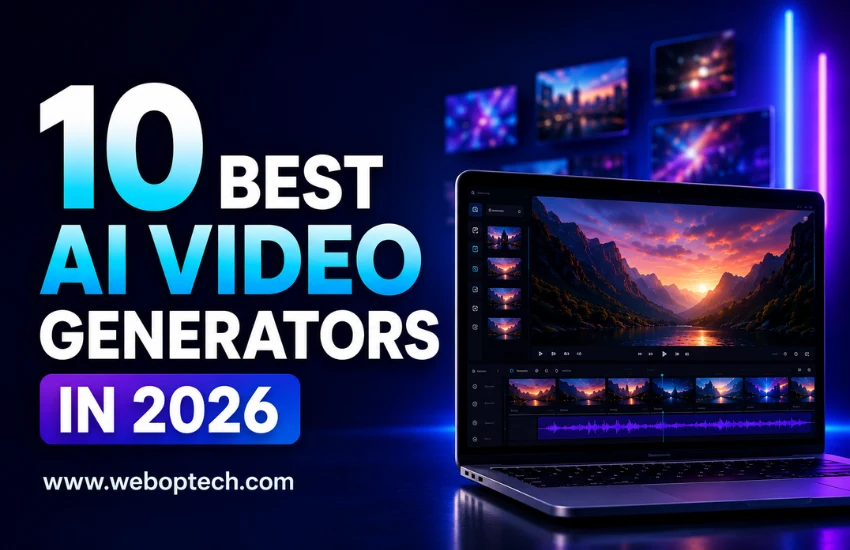
Top 10 AI Video Generators in 2026
10Jun

10 Best AI Video Generators in 2026

By WEBOPTECH | Social Media Marketing Insights

Let’s be honest – video content is no longer optional for businesses. It drives engagement, builds trust, and converts better than any other format on social media. As a Social Media Executive at WEBOPTECH Solutions, I’ve personally tested dozens of AI video tools to create content for our clients across industries. Some tools saved hours of work. Others were a complete waste of time and budget.

This guide cuts through the noise. Here are the 10 best AI video generators in 2026 – tools that actually deliver results for marketers, agencies, and growing businesses. And if you’re also looking to streamline your broader workflow, check out our guide on the best AI tools for social media marketing, where we cover content planning, scheduling, and more.

Quick Note:
Not all AI video tools work the same way. Some are built for text-to-video generation, others specialize in avatar-based videos or social media clips. Choose a tool based on your specific content goal – not just popularity or hype.

Quick Comparison Table – 10 Best AI Video Generators in 2026


Tool Best For Free Plan Free Trial Starting Price
Sora by OpenAI Cinematic storytelling No No $20/mo (via ChatGPT Plus)
Runway Gen-4.5 Creative & cinematic control Yes (125 credits) No $12/mo
Synthesia Avatar & multilingual videos Yes (limited) No $29/mo
Pika Labs Social media short clips Yes (with watermark) No $8/mo
HeyGen Personalized & translated video Yes (3 videos/mo) No $29/mo
InVideo AI Script-to-video for marketers Yes (with watermark) No $28/mo
Kling AI Realistic human motion Yes (free tier) No $6.99/mo
Luma Dream Machine Cinematic & atmospheric content Yes (limited credits) No $7.99/mo
Descript AI-powered video editing Yes (with watermark) No $24/mo
Canva AI Video Beginners & branded content Yes (basic) Yes (30 days) $15/mo (Canva Pro)


1. Sora by OpenAI

  • Best for: Cinematic brand storytelling and premium visual content
  • Free basic version available: No
  • Free trial period: No – accessible via ChatGPT Plus or Pro subscription
  • Pricing: $20/mo (ChatGPT Plus – unlimited 480p) | $200/mo (ChatGPT Pro – up to 1080p with 10,000 credits)

OpenAI’s Sora 2 has firmly established itself as the benchmark for text-to-video quality in 2026. It generates cinematic, high-resolution videos from detailed text prompts with remarkable accuracy in motion, physics, and depth – including synchronized audio that matches the visual content natively.

What sets Sora apart is its narrative consistency. It’s particularly strong at maintaining temporal flow, making videos feel like a coherent story rather than a stitched-together collection of clips. For brands that need premium visual content without a production team, Sora is worth the investment.

Limitation: Requires detailed prompts for consistent results. Individual clip length is capped at 20 seconds, so longer videos need stitching in post-production.

2. Runway Gen-4.5

  • Best for: Filmmakers, creative agencies, and advanced video production
  • Free basic version available: Yes – one-time 125 credits on free plan
  • Free trial period: No formal trial, but free credits allow meaningful testing
  • Pricing: $12/mo (Standard – 625 credits) | $35/mo (Pro – 2,250 credits) | $95/mo (Unlimited)

Runway continues to be the go-to platform for creative professionals who want granular control alongside quality output. Gen-4.5 leads industry benchmarks for camera motion, scene consistency, and 4K upscaling. The multi-motion brush tool allows frame-level creative direction that no other tool currently matches.

For social media marketing teams running multiple client accounts, Runway’s consistency and creative control deliver a significant competitive edge. It’s the right choice for high-production value campaigns where brand aesthetics are non-negotiable.

Limitation: Higher learning curve for beginners. Credit-based system can add up quickly at high output volumes.

3. Synthesia

  • Best for: Avatar-led explainer videos, corporate training, multilingual campaigns
  • Free basic version available: Yes – 3 minutes per month with watermark
  • Free trial period: No dedicated trial – free plan available to start
  • Pricing: $29/mo (Starter – 125+ avatars, 120 min/year) | Enterprise pricing available

Synthesia is the gold standard for AI avatar videos. You type a script, choose from 160+ AI presenters, and get a professional talking-head video – no camera, no studio, no recording setup needed. In 2026, it supports over 230 languages with accurate lip-sync, making it the most mature platform for multilingual video at scale.

We’ve used Synthesia at WEBOPTECH for client onboarding videos and multilingual ad content. It cuts production time by nearly 80% while maintaining a professional, on-brand look every time.

Limitation: Not ideal for dynamic or action-heavy content. Can appear slightly artificial on large screens at close range.

4. Pika Labs

  • Best for: Social media short clips, quick visual content, experimental creative work
  • Free basic version available: Yes – free tier with watermark
  • Free trial period: No – free plan available directly
  • Pricing: $8/mo (Basic) | Higher tiers available for volume

Pika Labs is one of the fastest-growing AI video platforms in 2026. It specializes in short-form, high-energy video clips optimized for Instagram Reels, YouTube Shorts, and similar formats. The interface is clean, the output is sharp, and the turnaround is fast – typically 10-15 seconds per generation.

Unique features like Pikaframes (interpolation between two images), Pikaffects (stylized visual transformations), and AI Lip Sync make it a genuinely versatile creative tool. For teams managing Instagram marketing or YouTube content at volume, Pika is the most accessible high-output option available.

Limitation: Less reliable for complex scenes with multiple moving elements. Resolution is lower on the free plan (480p).

5. HeyGen

  • Best for: Personalized video marketing, sales outreach, multilingual video translation
  • Free basic version available: Yes – up to 3 videos per month
  • Free trial period: No formal trial – free plan available
  • Pricing: $29/mo (Creator – unlimited videos) | $39/mo per seat (Team – 4K export, collaboration)

HeyGen combines avatar technology with business-grade features that go beyond basic video creation. Its standout capability in 2026 is AI-powered video translation – it takes an existing video of a real person and realistically dubs it into multiple languages, cloning the original speaker’s voice and syncing lip movements to match perfectly.

For brands running personalized outreach campaigns or targeting multilingual audiences, HeyGen adds a human touch at scale that no other tool replicates as convincingly.

Limitation: Free plan is significantly restricted. Best value is unlocked at the Creator tier and above.

💡 Pro Tip from Our Team: When using AI avatar tools like Synthesia or HeyGen, always add your brand’s color palette, logo overlay, and a clear CTA to every video. An AI video without brand identity is just content – not marketing. The tools generate the video; your branding makes it convert.

6. InVideo AI

  • Best for: Script-to-video production, content repurposing, ad creatives for marketers
  • Free basic version available: Yes – with watermark and limited exports
  • Free trial period: No – free plan available to start
  • Pricing: $28/mo (Plus) | $50/mo (Max – voice cloning, longer exports)

InVideo AI stands out in 2026 for one major reason: it’s the only platform that bundles both OpenAI’s Sora 2 and Google’s VEO 3.1 within a single subscription – two frontier models that would cost $450+/month separately. It turns a text prompt into a complete video with script, footage, voiceover, subtitles, music, and transitions automatically.

For businesses looking to repurpose their SEO content and blog posts into video format quickly and affordably, InVideo AI offers the strongest end-to-end pipeline in its price range. It’s also the tool we most recommend to clients who are new to AI video production and want results fast.

Limitation: Credit costs for frontier models are billed at API rates within the platform. Stock footage-heavy outputs can sometimes feel template-like in style.

7. Kling AI

  • Best for: Realistic human motion, lifestyle content, budget-conscious video production
  • Free basic version available: Yes – free tier with 5-second generations available
  • Free trial period: No – free plan available
  • Pricing: $6.99/mo (Standard – ~22 videos/month) | $37/mo (Pro – ~50 videos/month)

Kling AI by Kuaishou is the strongest budget-friendly option for realistic video in 2026. Its handling of facial expressions, body movement, and clothing physics outperforms most Western competitors at equivalent price points – making it particularly effective for human-centric content.

Brands in healthcare, travel, or real estate will find Kling’s realistic visual output highly effective for trust-building content. At $6.99/month, it offers the best credit-to-dollar ratio in the market right now – and the free tier is genuinely useful for testing before committing.

Limitation: Prompt adherence for complex compositional requests is weaker than Sora or Runway. Interface is less polished than US-based alternatives.

8. Luma Dream Machine

  • Best for: Premium cinematic content, atmospheric scenes, luxury and travel brands
  • Free basic version available: Yes – limited free credits
  • Free trial period: No formal trial
  • Pricing: $7.99/mo (Lite) | Higher tiers for professional volume

Luma’s Dream Machine (now running on the Ray3 model) continues to be a favorite for content that needs atmosphere over action. It transforms text and image prompts into fluid, visually refined video clips with Hi-Fi 4K HDR output and superior physics simulation for slow, cinematic movement.

For travel and tourism businesses, Luma produces destination visuals that genuinely capture emotion – the kind of content that makes people stop scrolling and take notice.

Limitation: Motion becomes unstable during fast camera moves or dynamic action sequences. Best suited for atmospheric and lifestyle visuals, not fast-paced content.

9. Descript

  • Best for: Video editing, podcast clips, YouTube long-form content, team collaboration
  • Free basic version available: Yes – free plan with watermark and limited transcription
  • Free trial period: No – free plan available
  • Pricing: $24/mo (Creator) | Higher tiers for teams

Descript takes a fundamentally different approach – it’s built around AI-powered editing, not pure generation. Its breakthrough feature remains text-based editing: cut a sentence from the transcript and the video cuts with it. Add AI voice cloning, apply Studio Sound to fix rough audio, remove filler words automatically, and generate highlight reels using AI Clips.

In 2026, Descript’s Underlord AI assistant allows plain-language editing commands, making it the most complete post-production experience powered by AI. For teams producing YouTube video marketing content regularly, Descript removes the biggest time bottleneck in the production workflow.

Limitation: Requires raw footage to start – it’s an editor, not a generator. Best suited for teams with existing video content to refine and repurpose.

10. Canva AI Video (Magic Studio)

  • Best for: Non-designers, small businesses, quick branded social content
  • Free basic version available: Yes – basic Canva free plan included
  • Free trial period: Yes – 30-day free trial of Canva Pro available
  • Pricing: $15/mo (Canva Pro – includes Magic Studio AI features)

Canva’s Magic Studio makes AI video generation accessible to anyone already using Canva for design. For non-designers and small business owners, it bridges the gap between design and video in one familiar interface. Brand kit integration means every video automatically pulls your colors, fonts, and logo – a meaningful time-saver for businesses managing their own content independently.

For small businesses handling their own social media marketing without a dedicated team, Canva AI Video offers the most practical and affordable entry point to video creation in 2026.

Limitation: Output quality doesn’t match dedicated AI video tools. Best suited for branded announcement and social content, not cinematic or high-production campaigns.

Which AI Video Generator Should You Use?

Here’s a quick decision guide based on your business goal:

  • For premium cinematic brand videos: Sora by OpenAI or Runway Gen-4.5
  • For avatar and multilingual spokesperson content: Synthesia or HeyGen
  • For social media reels and shorts at volume: Pika Labs or InVideo AI
  • For realistic human motion on a budget: Kling AI
  • For atmospheric, cinematic travel or lifestyle content: Luma Dream Machine
  • For post-production editing and YouTube workflow: Descript
  • For beginners and small businesses starting out: Canva AI Video

The right tool depends on your content goal, budget, and team capacity. At WEBOPTECH Solutions, we don’t believe in a one-size-fits-all approach – the same philosophy applies to AI video tools.

Final Thoughts

AI video generation has moved from a novelty to a core part of any serious digital marketing strategy. In 2026, the businesses winning on social media are those producing high-quality, consistent video content – without burning through their entire content budget.

The tools listed above are the ones we’ve personally evaluated, and the ones genuinely worth your time. Start with one, get comfortable with its output, and build your video workflow from there. And if you haven’t already, explore our full breakdown of the best AI tools for social media marketing to build a complete, results-driven content system.

Need help building a results-driven social media strategy for your business? Contact WEBOPTECH Solutions and let’s create content that actually converts.

Tags:

No tags
Best AI tools students must try 2026
26May

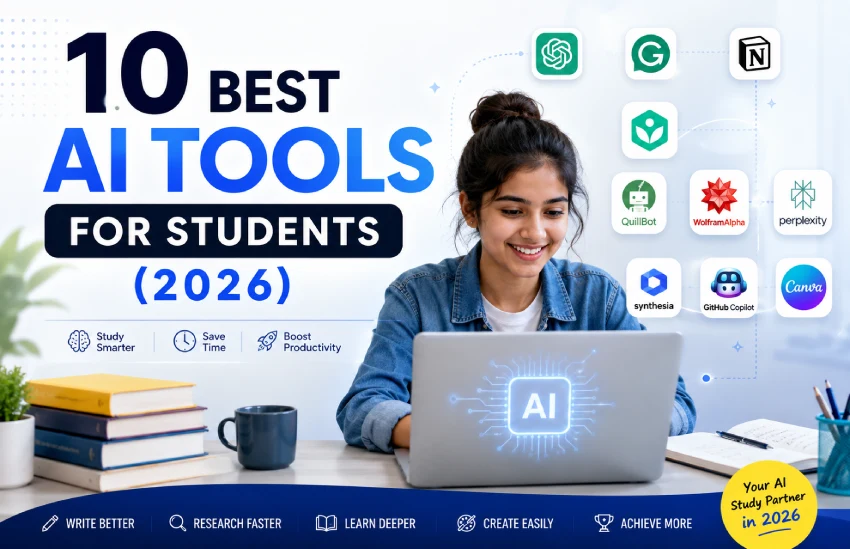
10 Best AI Tools for Students in 2026

AI is no longer a buzzword – it is a daily study partner for millions of students worldwide. From drafting research papers to cracking complex math problems, the right AI tool can cut hours of work into minutes. But with hundreds of options flooding the market in 2026, choosing the best one can feel overwhelming.

At WEBOPTECH, we work closely with digital tools every day – including AI video generators, content platforms, and productivity software. Based on that hands-on experience, we have shortlisted the 10 best AI tools for students in 2026 that actually deliver results in academics, creativity, and career growth.

Whether you are a school student, an undergrad, or a postgraduate researcher, this guide is designed to help you work smarter – not harder.

Note
This list covers tools tested across content creation, research, coding, writing, and learning.

Each tool below is selected based on real-world usability, student-specific features, and value for money.


1. Chat GPT (Open AI) – Best for Writing and Research Assistance

ChatGPT remains the most widely used AI tool for students in 2026. Whether you need to summarise a 50-page research paper, brainstorm essay ideas, or write a cover letter for an internship, ChatGPT handles it all within seconds.

Why students love it:

  • Generates well-structured essays and reports
  • Explains complex topics in simple language
  • Supports 50+ languages – ideal for international students
  • GPT-4o model handles text, image, and voice inputs

Best for: Essay writing, concept explanation, research summaries, and coding help.

2. Grammarly – Best for Writing Accuracy and Style

Every student who writes assignments, emails, or thesis papers needs Grammarly. It goes beyond basic spell-check – it analyses tone, clarity, and even plagiarism, making your academic writing stronger and more professional.

Key features for students:

  • Real-time grammar and punctuation corrections
  • Tone detection – formal, academic, or casual
  • Plagiarism checker with citation suggestions
  • Seamless integration with Google Docs, MS Word, and browsers

Best for: Assignment submissions, academic papers, emails to professors, and LinkedIn profiles.

3. Notion AI – Best for Study Planning and Note-Taking

Notion AI upgrades your note-taking game from passive to active. Students can summarise lecture notes, generate to-do lists, build study schedules, and even draft project proposals – all inside one workspace.

Top student benefits:

  • AI-powered summarisation of lengthy notes
  • Auto-generates action items from meetings or group discussions
  • Custom templates for study plans, project tracking, and flashcards
  • Collaborative features for group projects

Best for: Study organisation, group projects, research documentation, and semester planning.

4. Khanmigo by Khan Academy – Best for Personalised Learning

Khanmigo is an AI tutor built specifically for students. Unlike general-purpose AI, it does not give away answers directly – instead, it guides students through problems using the Socratic method, building real understanding and critical thinking.

What makes it unique:

  • Subject-specific tutoring across maths, science, humanities, and coding
  • Encourages problem-solving rather than answer-giving
  • Tracks learning progress and adapts difficulty
  • Safe and student-focused interface

Best for: School students, exam preparation, and subject-specific learning support.

5. Quillbot – Best for Paraphrasing and Academic Integrity

Quillbot is a lifesaver when students want to rewrite content without losing the original meaning. It helps rephrase paragraphs, fix passive voice, and maintain a consistent academic tone – making it perfect for term papers and theses.

Features students rely on:

  • Seven paraphrasing modes – Standard, Fluency, Formal, Creative, and more
  • Built-in grammar checker and summariser
  • Word flipper to vary vocabulary naturally
  • Co-Writer feature for drafting long-form content

Best for: Research paraphrasing, thesis writing, literature reviews, and content rephrasing.

6. Wolfram Alpha – Best for Maths and Science Problem-Solving

Wolfram Alpha is the go-to AI tool for STEM students. It solves complex equations, explains step-by-step solutions, and handles everything from calculus to chemistry – making it an indispensable resource for science and engineering students.

Standout capabilities:

  • Step-by-step solutions for algebra, calculus, and statistics
  • Data computation and visualisation
  • Chemistry balancing, physics formulas, and biology diagrams
  • Integrated with ChatGPT Plus for conversational maths

Best for: STEM students, competitive exam prep, and technical problem-solving.

7. Perplexity AI – Best for Research and Fact-Checked Answers

Unlike ChatGPT, Perplexity AI searches the live web and provides cited, source-backed answers. For students who need real-time data, academic sources, and reliable research, Perplexity is a huge upgrade over standard search engines.

Research-focused highlights:

  • Every answer comes with cited sources for verification
  • Supports academic mode with peer-reviewed sources
  • Real-time web access – no outdated training data
  • Follow-up question feature for deeper research sessions

Best for: Research papers, academic fact-checking, literature searches, and citation building.

8. Synthesia – Best for AI Video Presentations

As someone who works in AI video generation professionally, I can say Synthesia is one of the most powerful tools for creating educational and presentation videos. Students no longer need cameras or editing skills – just a script

Why Synthesia stands out:

  • 120+ AI avatars – professional and diverse
  • Text-to-video in minutes – ideal for class presentations
  • Supports 140+ languages – great for international students
  • Custom branding and slide integration

Best for: Class presentations, e-learning projects, YouTube channels, and digital portfolios.

9. GitHub Copilot – Best for Coding and Computer Science Students

For students studying computer science, software development, or data science, GitHub Copilot is the ultimate AI coding assistant. It auto-completes code, suggests entire functions, and helps debug errors in real-time – cutting development time by up to 55%.

Key coding benefits:

  • Supports Python, JavaScript, Java, C++, and 30+ languages
  • Context-aware code suggestions and completions
  • Explains code logic in plain English
  • Free for students via GitHub Education Pack

Best for: Computer science assignments, hackathons, app development, and programming practice.

10. Canva AI – Best for Design and Visual Projects

Canva has always been a student favourite, and its AI features in 2026 – Magic Write, Magic Design, and AI image generation – make it an even more powerful creative platform. Students can design infographics, presentations, posters, and social media visuals without any design background.

AI-powered design features:

  • Magic Write – AI text generator for captions and content
  • Magic Design – generates slide decks from a simple prompt
  • Text-to-image generator for custom visuals
  • Resize designs instantly for any platform or format

Best for: Project presentations, infographic creation, event posters, and social media content.

💡 Pro Tip from WEBOPTECH
Do not try to master all 10 tools at once.
Pick 2-3 that align with your course, your goals, and your daily workflow.
The best AI tool is the one you actually use consistently — not the most advanced one.


Quick Comparison: AI Tools at a Glance

AI Tool Best For Free Plan? Ideal For
ChatGPT Writing & Research Yes All students
Grammarly Writing Accuracy Yes Writers & Researchers
Notion AI Notes & Planning Limited Organised learners
Khanmigo Personalised Tutoring Yes School students
QuillBot Paraphrasing Yes Academic writers
Wolfram Alpha Maths & Science Yes STEM students
Perplexity AI Research & Citations Yes Researchers
Synthesia Video Presentations Limited Presenters & Creators
GitHub Copilot Coding Free (Education) CS students
Canva AI Design & Visuals Yes Creative students


Final Thoughts – Choosing the Right & Best AI Tools

The AI tools landscape changes fast – but the fundamentals of good learning do not. These 10 tools are not shortcuts; they are force multipliers. Used correctly, they help students research faster, write better, learn deeper, and produce higher-quality work.

At WEBOPTECH, we believe the smartest students in 2026 will not be the ones who avoid AI – they will be the ones who know which AI tool to use, when, and why.

Start with one tool this week. Master it. Then build your AI-powered student toolkit from there.


Want to speak with a expert? Email, Call or WhatsApp us:

Call Anytime

+91 96580 46151
back top
whatsapp