Category: Local SEO
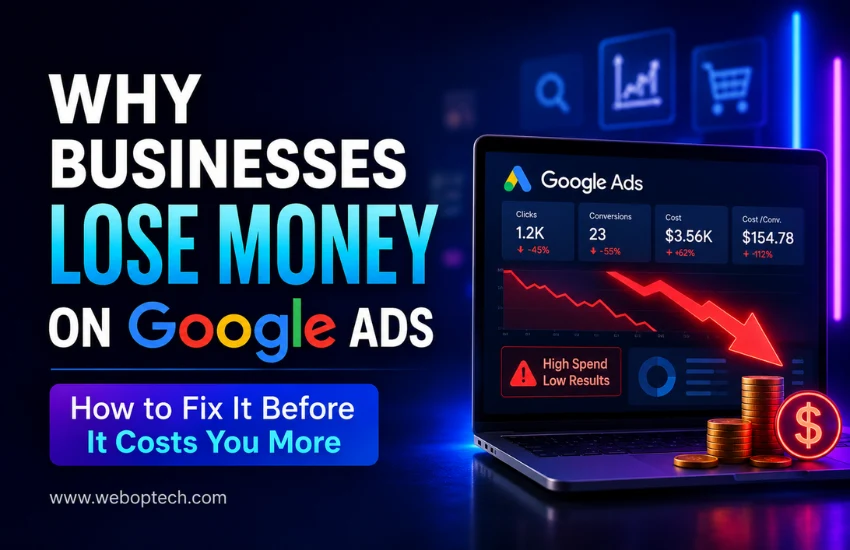
Why Businesses Lose Money on Google Ads
How to Fix It Before It Costs You More
Let me be direct with you.
Google Ads is one of the most powerful digital advertising platforms in the world. After auditing countless Google Ads accounts – across industries, budgets, and business sizes – the same patterns show up every single time. Businesses are not losing money because Google Ads does not work. They are losing money because of entirely avoidable Google Ads mistakes that quietly drain budgets week after week.
The frustrating part? Most of these mistakes are not obvious. Everything looks fine on the surface – the campaigns are running, the clicks are coming in, the dashboard shows activity. But the conversions are missing, the CPCs are bloated, and the ROI simply does not add up.
What follows is not a beginner’s guide to Google Ads. It is a breakdown of the real reasons accounts underperform – and what needs to change to fix them.
1. No Goal, No Direction – And Google Will Spend Anyway
This is the first thing I look for when I open an account audit. What is this campaign actually trying to achieve?
More often than not, the campaign was launched without a clearly defined conversion action. No form tracking. No call tracking. No purchase event. Just ‘get more clicks’ – which Google is happy to deliver, at full cost, with zero accountability for results.
Google’s algorithm is not your business partner. It will optimise for whatever signal you give it. If you give it no signal, it optimises for spend. Your budget gets used – just not in your favour.
What to do:
- Before a single campaign goes live, define the primary conversion action.
- Set it up in Google Ads.
- Verify it is firing correctly.
- Every optimisation decision after that should trace back to this one number.
2. Keyword Strategy Built on Volume, Not Intent
Here is what I see constantly – accounts bidding on high-volume keywords because they look impressive in Keyword Planner. Thousands of monthly searches. Broad match. Let it run.
The problem is that volume does not equal intent. A keyword with 50,000 monthly searches might contain researchers, students, competitors, and casual browsers – none of whom are your buyers. Meanwhile, a tighter, intent-driven keyword with 800 searches might be converting at 12%.
Bidding without intent analysis is how businesses burn through budget in the first two weeks of a campaign and then conclude that ‘Google Ads does not work for our industry.
What separates converting keywords from expensive noise:
- Commercial and transactional intent – people ready to act, not just explore
- Long-tail phrases that reflect specific, purchase-ready queries
- Proper match type selection – phrase and exact match give you control
- Separate ad groups for each tightly themed keyword cluster
What to do:
- Build your keyword list around buyer intent, not search volume.
- Think about what someone types when they are ready to pay – not when they are just looking.
- That distinction alone will change your results.
3. The Negative Keyword List Is Either Empty or Never Updated
I have seen accounts spending 30 to 40 percent of their budget on irrelevant searches – simply because nobody reviewed the Search Terms Report.
This is one of the most consistently neglected areas in Google Ads management. Negative keywords are not a one-time setup task. They are an ongoing discipline. Search behaviour shifts. New irrelevant queries emerge. If you are not actively blocking them, you are paying for them.
A B2B software company bidding on ‘project management tool’ might be showing ads for ‘free project management tool for students’ or ‘project management tool meaning’ – searches with zero commercial value.
What to do:
- Block irrelevant searches at the account level.
- Review the Search Terms Report every week without exception.
- Build a master negative keyword list from day one and keep adding to it.
- This single habit protects more budget than almost any other optimisation.
4. Ad Copy That Blends Into the Background
Most Google Ads copy is forgettable. Same headlines, same structure, same generic calls to action. ‘Quality Service.’ ‘Trusted by Thousands.’ ‘Contact Us Today.’ None of it gives the searcher a reason to choose you over the ad above or below yours.
Here is the truth about ad copy – it is not creative writing. It is a direct response to a specific search query. The person searching has a problem. Your ad needs to reflect their exact problem, offer a specific solution, and give them a clear next step. In three headlines and two descriptions.
What weak ad copy looks like in practice:
- Headlines that repeat the keyword without adding value or differentiation
- No mention of a key offer – discount, guarantee, turnaround time, free consultation
- Calls to action that are vague – ‘Learn More’ when ‘Get Your Free Quote in 24 Hours’ is available
- Ad messaging that does not match what the landing page says
What to do:
- Write ads that answer the searcher’s specific question and offer a concrete next step.
- Use all available ad extensions.
- Run at least two or three ad variants per ad group at all times and let data decide the winner – not instinct.
5. Sending Paid Traffic to a Page That Was Not Built to Convert
This is where I see the most silent budget waste. The campaign looks reasonable. The CTR is decent. But conversion rates are sitting at under 1 percent, and nobody is asking why.
The landing page is the problem. It is slow. It loads differently on mobile. The headline does not match the ad. The form asks for too much information. There is no clear trust signal. The call to action is buried below the fold.
You can have the most precisely targeted, perfectly written ad in the account – but if it sends traffic to a weak page, every click is a waste.
Red flags I check immediately in a landing page audit:
- Load time above 3 seconds on mobile – a conversion killer in every vertical
- Headline mismatch – the ad said one thing, the page says something different
- No single, dominant call to action above the fold
- Generic page used for multiple campaigns with conflicting messaging
- No social proof – testimonials, certifications, client logos, case studies
What to do:
- Create dedicated landing pages for each campaign theme.
- Match the ad’s promise exactly on the page.
- Keep the focus narrow – one page, one goal, one action.
- Test load speed using Google PageSpeed Insights and fix what it flags.
6. Bidding Strategy Chosen for Convenience, Not Performance
Choosing a bidding strategy because it sounds automated and easy is one of the fastest paths to budget waste. Smart Bidding is powerful – but only when it has enough data to work with.
Launching a brand-new campaign with Target CPA or Target ROAS and expecting the algorithm to optimise immediately is a misunderstanding of how machine learning works. Google needs conversion history – typically 30 to 50 conversions per month – before Smart Bidding can make reliable decisions. Before that threshold, it is essentially guessing.
Equally, using Maximise Clicks on a campaign where quality matters over volume will flood you with cheap, irrelevant traffic that looks good in reports and delivers nothing in the pipeline.
What to do:
- Start new campaigns on Manual CPC or Enhanced CPC.
- Build conversion data for 4 to 6 weeks.
- Once you consistently hit 30-plus conversions per month, transition to Target CPA or Target ROAS.
- Match the strategy to where the campaign actually is – not where you want it to be
7. Conversion Tracking That Is Broken, Incomplete, or Never Verified
This one surprises people when I bring it up in audits – because most accounts technically have conversion tracking set up. The issue is that it is either tracking the wrong thing, double-counting, or firing inconsistently.
I have seen accounts where ‘conversions’ were being counted every time someone visited the thank-you page – including the advertiser refreshing the page during testing. The conversion data looked great. The actual sales pipeline told a completely different story.
Without clean, verified conversion data, every optimisation decision in the account is built on a faulty foundation. Bidding strategies, budget allocation, keyword prioritisation – all of it depends on the accuracy of what you are measuring.
What to do:
- Audit your conversion tracking before trusting any data in the account.
- Use Google Tag Assistant to verify tags are firing correctly.
- Track every meaningful action – form submissions, calls, purchases, live chat engagements.
- Link Google Ads to Google Analytics 4 for cross-platform visibility.
8. Campaigns Left Running Without Regular Optimisation
Google Ads rewards attention. Accounts that are reviewed, tested, and refined consistently outperform accounts that are launched and left alone – even when the initial setup is identical.
Ad fatigue is real. Competitor bids shift. Seasonal behaviour changes. Search trends evolve. A campaign that performed well in January may be underperforming by March for reasons that only become visible through regular review.
What gets missed when accounts are not actively managed:
- Underperforming keywords continuing to consume budget without results
- Ad variants that stopped performing months ago still running unchanged
- Bid adjustments not updated for device, location, or time-of-day performance shifts
- Quality Scores declining due to stale ad copy and unchanged landing pages
What to do:
- Build a fixed weekly review into your process.
- Check CTR, conversion rate, cost per conversion, Quality Score, and impression share every week.
- Pause what is not working.
- Test something new every two weeks.
- Small, consistent optimisations compound into significant performance gains over time.
9. Budget Spread Too Thin Across Too Many Campaigns
More campaigns do not mean more results. In fact, the opposite is usually true.
When a limited budget is distributed across too many campaigns or ad groups, no single element accumulates enough data to optimise, enough impressions to build Quality Score, or enough conversions to feed Smart Bidding effectively. Everything runs at a fraction of its potential.
I regularly see accounts with a monthly budget of twenty to thirty thousand rupees split across eight campaigns – each one starved of the spend it needs to gain meaningful traction. The result is mediocre performance everywhere, standout performance nowhere.
What to do:
- Consolidate. Identify your highest-intent, highest-converting campaigns and concentrate budget there.
- A focused account with two or three well-funded, tightly structured campaigns will consistently outperform a fragmented account spread across many. Scale what works – do not dilute it.
Account Audit Checklist – 9 Things to Fix First
| The Problem | The Fix |
|---|---|
| No conversion tracking goal | Define primary action before campaign launch |
| Keywords chosen by volume | Rebuild around buyer intent, not search volume |
| Negative keywords neglected | Review Search Terms Report weekly – no exceptions |
| Generic, forgettable ad copy | Create specific, benefit-led headlines with tested variants |
| Weak or mismatched landing page | Use dedicated pages with matching messaging and fast load time |
| Wrong bidding strategy | Start with Manual CPC, then move to Smart Bidding after enough data |
| Broken or unverified tracking | Audit conversion tags before trusting campaign data |
| No active optimisation | Review weekly – pause, test, adjust, and repeat |
| Budget too diluted | Consolidate campaigns and invest in top performers |
The Bottom Line
Google Ads works. That is not the question.
The question is whether the account running those ads is set up to let the platform perform – or set up to quietly waste budget while delivering the appearance of activity. Every mistake in this article has a fix. None of them require a larger budget. They require the right structure, the right measurement, and consistent attention to what the data is actually saying.
The businesses that win on Google Ads are not the ones spending the most. They are the ones managing their accounts with discipline, testing with intent, and optimising based on real conversion data – not impressions and clicks.
That is the standard every account should be held to.
Need a Google Ads Account Audit?
At WEBOPTECH Solutions Pvt. Ltd, our Google Ads experts help businesses uncover wasted ad spend, improve campaign efficiency, and generate more qualified leads. If your campaigns are generating clicks but not results, we’ll identify exactly where your budget is being wasted and provide a clear roadmap to improve performance.
Visit www.weboptech.com to learn more or request a consultation.
Related Guides You May Find Useful:
👉 Google Ads vs Meta Ads: Which is Better for Your Hospital or Clinic in 2026?
👉 Google Advertiser Verification: Complete Step-by-Step Guide
👉 How Google AI Mode is Changing Paid Search Campaigns in 2026
10 Ways to Grow Your Business Online in 2026
The digital landscape has never moved faster. Businesses that thrived in 2023 are struggling to stay visible today – not because their product changed, but because the online world around them did. At WEBOPTECH Solutions, we work every day with brands trying to answer one question: How do we actually grow your business online in 2026? This guide is the answer – built from real campaigns, real data, and results our clients have seen across industries.
| Note: Growing a business online in 2026 is not about doing everything. It is about doing the right things consistently. Start with two or three strategies from this list and master them before expanding. |
|---|
Quick Strategy Overview
| Strategy | Main Goal | Expected Result | Difficulty Level |
|---|---|---|---|
| SEO Website | Better visibility | More organic traffic | Medium |
| Local + Semantic SEO | Targeted reach | Quality leads | Medium |
| Content Marketing | Authority building | Long-term growth | Medium |
| Paid Ads | Quick conversions | Instant leads | High |
| Social Media | Brand awareness | Engagement + reach | Medium |
| Email Marketing | Customer retention | High ROI | Low |
| Reputation Management | Trust building | Higher conversions | Low |
| AI Tools | Efficiency | Faster scaling | Medium |
| Influencer Marketing | Audience trust | Niche conversions | Medium |
| Analytics & Tracking | Data insights | Better decisions | Low |
1. Build a High-Performance, SEO-Optimized Website
Your website is your most valuable digital asset. A slow, outdated site loses customers before they even read your offer. In 2026, Core Web Vitals are non-negotiable – Google rewards sites that load fast, respond instantly on mobile, and deliver a seamless experience. Invest in a site that converts, not just one that looks good.
Key Focus Areas
Prioritize mobile-first design, achieve sub-3-second page speed, use clear call-to-actions (CTAs), and implement structured data markup to improve search visibility and user experience.
2. Prioritize Local and Semantic SEO
Search intent has evolved. People are not just typing keywords – they are asking full questions. Semantic SEO means creating content that answers real questions your audience is asking.
Pair this with local SEO – optimized Google Business Profile, location-based keywords, and consistent NAP data – and you build authority that drives foot traffic and online leads simultaneously.
If you are unsure where to focus your budget for faster results, explore our guide on SEO vs Google Ads for small businesses to make a smarter decision.
3. Invest in Content Marketing That Solves Problems
Generic content does not rank. Problem-solving content does. Map every blog post, guide, or video to a specific pain point your customer has. When your content becomes the answer to their problem, Google notices – and so do your prospects.
A solid content marketing strategy in 2026 includes:
- Long-form guides (1,000+ words)
- Video content
- FAQs
- Consistent publishing
Brands that post 3–4 times per week see 3.5x more traffic than those that post occasionally.
4. Use Paid Ads Strategically – Not Broadly
Running ads without targeting is like broadcasting on a frequency no one listens to. In 2026, Google Ads and Meta Ads require tight audience segmentation, compelling creative, and data-driven bidding strategies. Use retargeting to re-engage warm audiences and focus budget on high-intent keywords that convert – not just keywords that generate clicks.
Before scaling your ads, make sure your account is properly verified and compliant: 👉 Google advertiser verification step-by-step guide
A WEBOPTECH-managed ad campaign consistently achieves 3x-5x ROAS for clients in competitive verticals because we eliminate wasted spend from day one.
5. Dominate Social Media With Purpose-Driven Content
Social media in 2026 rewards specificity. A brand that stands for something specific grows faster than one that posts everything. Define your content pillars – education, behind-the-scenes, testimonials, industry insights – and show up consistently on the platforms where your audience actually spends time.
Short-form video on Instagram Reels, YouTube Shorts, and LinkedIn continues to generate exceptional organic reach. Pair it with social media management that responds, engages, and builds community.
| Quick Win: Repurpose one long-form blog post into five short social media posts, one short video script, and one email newsletter. That is six pieces of content from one idea – a proven way to multiply output without multiplying effort. |
6. Leverage Email Marketing for High-ROI Retention
Email is still the highest-ROI channel in digital marketing – returning an average of $42 for every $1 spent. But it only works when done right. Build segmented lists, write subject lines that earn the open, and send emails that deliver value – not just promotions.
Automate email sequences for welcome flows, cart recovery, re-engagement, and post-purchase follow-ups. This is retention marketing that runs while you sleep.
7. Build Trust With Online Reviews and Reputation Management
In 2026, your online reputation is your first impression. 93% of consumers read reviews before making a purchase decision. Proactively ask satisfied customers for Google reviews, respond professionally to negative feedback, and monitor mentions across platforms.
A strong reputation management strategy builds the social proof that converts hesitant visitors into paying customers – and keeps them coming back.
8. Use AI-Powered Tools to Scale Smarter
AI is no longer optional – it is a competitive edge. From AI-driven content creation and AI video generation tools to predictive analytics and chatbot automation, smart businesses are using AI to do in hours what used to take weeks. The key is using AI to amplify human strategy, not replace it.
At WEBOPTECH, we integrate AI across campaign workflows – from keyword research to ad copy testing – to deliver faster results with tighter margins.
9. Partner With Micro-Influencers in Your Niche
Mega-influencers impress. Micro-influencers convert. Audiences of 5,000 to 100,000 followers tend to have higher engagement rates and more trust with their community. Find voices in your niche who genuinely align with your brand values, and build long-term partnerships rather than one-off promotions.
An influencer marketing campaign built on authenticity drives measurable sales, not just vanity metrics.
10. Track Everything and Optimize Relentlessly
Every marketing decision should be data-backed. Set up Google Analytics 4, monitor your Search Console data weekly, track conversion rates by channel, and review your ad performance monthly. Businesses that measure grow faster – because they know what to double down on and what to cut.
A results-driven growth strategy is never static. It evolves as your data evolves. That is the difference between businesses that plateau and those that scale.
Final Thoughts
Growing your business online in 2026 is not about shortcuts – it is about stacking the right strategies, measuring what works, and staying consistent long enough to see compounding results. Each of these 10 methods is proven. Each one is actionable today.
At WEBOPTECH, we help businesses turn these strategies into systems that generate real, predictable growth online. Whether you need a full digital marketing partner or support on a specific channel, we are ready to help you grow.
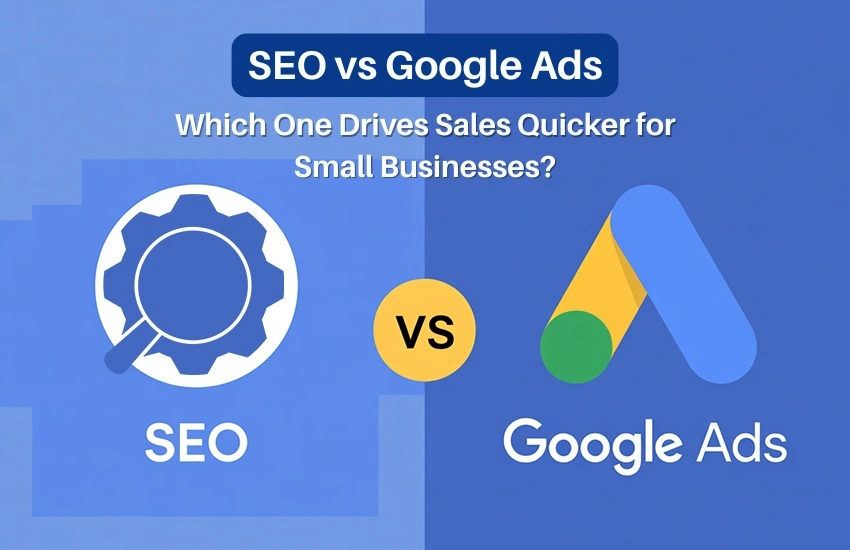
SEO vs Google Ads: Which One Drives Sales Quicker for Small Businesses?
In today’s competitive digital world, small businesses need smart marketing strategies to stand out and attract customers. Two of the most powerful tools in digital marketing are SEO (Search Engine Optimization) and Google Ads (Pay-Per-Click Advertising). But when you’re running a small business with limited time and budget, one question matters most – Which one drives sales quicker: SEO or Google Ads?
Let’s explore the difference, benefits, and how both can help your business grow – especially if you’re a small business owner in Bhubaneswar or anywhere in Odisha.
What is SEO?
Search Engine Optimization (SEO) is the process of improving your website to rank higher on search engines like Google.
When someone searches for your products or services, SEO helps your website appear organically (without paying for ads).

How SEO Works:
- Optimizing website content with relevant keywords
- Building quality backlinks
- Creating engaging blog posts and landing pages
- Improving website speed and user experience
- Setting up local SEO (Google Business Profile, reviews, maps, etc.)
Example:
If you run a bakery in Bhubaneswar and optimize your website for keywords like “best bakery in Bhubaneswar” or “birthday cakes in Odisha”, you can appear in top search results when people look for those terms.
What is Google Ads?
Google Ads (also known as Pay-Per-Click or PPC) is a paid advertising platform where your business appears at the top of Google search results instantly – but you pay each time someone clicks your ad.

How Google Ads Works:
- You choose target keywords for your ads
- Set a daily or monthly budget
- Create ad campaigns with catchy headlines and calls-to-action
- Pay Google only when someone clicks on your ad
Example:
If that same bakery runs a Google Ad for “custom birthday cakes in Bhubaneswar”, your ad can appear immediately at the top of search results – even if your website is new.
SEO vs Google Ads: Key Differences
| Factor | SEO | Google Ads |
| Cost | Free clicks (investment in time and optimization) | Paid per click or impression |
| Speed of Results | Slow – takes 3 to 6 months | Instant – live in 24 hours |
| Longevity | Long-term, sustainable growth | Short-term visibility (stops when you stop paying) |
| Trust Level | High – users trust organic results | Moderate – users know it’s an ad |
| Targeting Options | Based on keywords and content | Based on location, keywords, demographics, interests |
| Control | Limited (depends on Google’s algorithm) | Full control over audience and budget |
| Best For | Building brand visibility & long-term leads | Getting quick traffic & immediate sales |
Which One Drives Sales Quicker?
If your goal is quick sales, Google Ads wins the race.
Here’s why:
- Google Ads show your business instantly at the top of search results.
- Perfect for new websites that haven’t yet built SEO authority.
- You can target ready-to-buy customers with specific keywords like “book water sports in Dubai today” or “buy cakes online Bhubaneswar.”
However, while Google Ads drives faster results, SEO delivers more consistent and cost-effective growth over time.
So, the best strategy depends on your goal and timeline:
- Want quick leads? → Go for Google Ads.
- Want long-term, free traffic? → Focus on SEO.
- Want both growth and stability? → Combine SEO + Google Ads.
Why Small Businesses Need Both SEO and Google Ads
For small businesses in Bhubaneswar and across Odisha, combining both SEO and Google Ads offers the best of both worlds.

1. Build Long-Term Brand Trust (with SEO)
SEO helps you appear in organic searches, Google Maps, and local listings – creating brand trust among your target audience.
2. Get Instant Traffic (with Google Ads)
While your SEO builds up, Google Ads ensures your website gets immediate visibility and leads from day one.
3. Data Insights for Better Decisions
Both SEO and Ads provide valuable data about which keywords and audiences convert best – helping you refine your marketing strategy.
4. Budget Flexibility
Start with Google Ads to generate quick results, and then shift more focus to SEO once your business gains visibility and trust.
Advantages of SEO for Small Businesses
- Cost-effective in the long run
- Builds credibility and trust
- Brings consistent organic traffic
- Improves user experience and brand awareness
- Ideal for local searches (e.g., “digital marketing agency near me”)
Advantages of Google Ads for Small Businesses
- Delivers instant results
- Easy to measure and track ROI
- Highly targeted campaigns (location, age, interests, etc.)
- Great for time-sensitive offers or promotions
- Ideal for startups or new websites with low visibility
When Should You Choose SEO or Google Ads?
| Situation | Best Option |
| New business or website | Google Ads |
| Long-term brand growth | SEO |
| Seasonal offers or events | Google Ads |
| Local business targeting customers nearby | SEO + Google Ads |
| Limited marketing budget | Start with SEO, scale with Ads |
SEO and Google Ads Together: A Winning Combination
The most successful digital marketing strategies use both SEO and Google Ads together.
Here’s how it works:
- Run Google Ads for quick conversions and visibility.
- Use SEO to build long-term organic authority.
- Analyze ad data to discover high-performing keywords and use them in your SEO strategy.
- Gradually reduce ad spend as SEO starts generating steady traffic.
This combined approach ensures that your business stays visible – both in paid ads and organic search results.
Conclusion
When it comes to SEO vs Google Ads, both play essential roles in helping small businesses grow online.
- If you want immediate sales, Google Ads gives faster results.
- If you want sustainable growth, SEO is your best investment.
- But for the strongest digital presence, use both together strategically.
Grow Your Business with WebOpTech
At WebOpTech, a trusted digital marketing agency in Bhubaneswar, Odisha, we help small businesses achieve online success through result-driven SEO and Google Ads campaigns.
Whether you want quick leads or long-term growth, our experts can design a strategy tailored to your business goals.
Top 8 Digital Marketing Mistakes Costing Healthcare Practices
Running a healthcare practice in today’s digital age is no longer just about providing excellent patient care. It’s also about making sure your practice is easily found online, builds trust with potential patients, and encourages them to take action – whether it’s booking an appointment, calling for advice, or signing up for services.
Unfortunately, many healthcare businesses like clinics, hospitals, and diagnostic centers make common digital marketing mistakes that cost them leads, revenue, and reputation. If you’re wondering why your clinic’s website isn’t attracting more patients or why your ads aren’t converting, you’re not alone. In this article, we’ll explain the most frequent digital marketing mistakes made by healthcare practices and how you can avoid them using the right strategies and services.
Mistake #1 – Ignoring Local SEO
Many healthcare providers focus only on global strategies, forgetting that patients nearby are searching for medical services every day. If your practice isn’t appearing on Google when people search for “best dentist near me” or “child specialist in Bhubaneswar,” you’re losing potential patients.
Why it’s a problem:
- Patients prefer nearby healthcare providers.
- If your practice isn’t listed on Google Maps, it’s hard for patients to find you.
Solution:
Invest in local SEO services for healthcare by optimizing your clinic’s profile on Google My Business, ensuring your contact details are correct, and encouraging satisfied patients to leave reviews. Learn more about SEO services in healthcare that can help you rank higher and get found faster by people in your area.

Mistake #2 – Poor Website Design and User Experience
Invest in local SEO services for healthcare by optimizing your clinic’s profile on Google My Business, ensuring your contact details are correct, and encouraging satisfied patients to leave reviews. Learn more about SEO services in healthcare that can help you rank higher and get found faster by people in your area.
Why it’s a problem:
- Patients may not trust an unprofessional-looking website.
- If the booking form is difficult, people won’t go through it.
Solution:
A professional healthcare website design service ensures that your site is mobile-friendly, easy to use, and visually consistent with your brand. Clear calls to action like “Book Appointment” and “Contact Us” should be prominently displayed. Check out our website design services for healthcare to learn how the right design can convert visitors into patients.

Mistake #3 – Focusing on Traffic, Not Quality Leads
Some healthcare providers run Google Ads or social media ads without refining their target audience. As a result, they get a lot of clicks but few actual appointment bookings.
Why it’s a problem:
- Ads are shown to people who aren’t looking for healthcare services.
- Money is spent, but results don’t justify the investment.
Solution:
Use Google Ads for healthcare with carefully selected keywords like “dental clinic in Bhubaneswar” or “physiotherapy center near me.” Target your ads based on location, demographics, and search intent. Our Google Ads services for healthcare are designed to bring in the right audience and ensure your budget is used effectively.
Mistake #4 – Not Using Social Media Effectively
Some healthcare businesses set up a social media account but never post updates or engage with patients. Others post irrelevant content that doesn’t connect with their audience.
Why it’s a problem:
- Patients turn to social media for trusted healthcare information.
- Inactive profiles appear unprofessional.
Solution:
Regularly post patient testimonials, health tips, and announcements about new services. Run targeted ads on Facebook and Instagram to reach local audiences and build trust. Explore our social media marketing services for healthcare to see how consistent engagement can bring more inquiries and bookings.

Mistake #5 – Not Building Trust with Content
Many healthcare websites fail to provide helpful information. A simple list of services or doctor profiles isn’t enough to answer patient questions or reduce anxiety.
Why it’s a problem:
- Patients need reassurance before choosing a healthcare provider.
- Lack of educational content reduces trust.
Solution:
Create blogs, FAQs, and guides that answer common patient concerns. For example:
- How to prepare for a dental checkup
- What to expect during physiotherapy treatment
Using SEO-friendly healthcare content helps your website rank higher and answers patient questions before they even contact you. Learn how SEO for healthcare can boost your content visibility and patient engagement.
Mistake #6 – Skipping Analytics and Reporting
Without tracking how your website and ads are performing, it’s impossible to know what’s working and what’s not. Many healthcare providers invest heavily without reviewing performance reports.
Why it’s a problem:
- You don’t know which campaigns are driving patient inquiries.
- Money may be wasted on ineffective strategies.
Solution:
Set up tools like Google Analytics and Facebook Pixel to track website visits, form submissions, and conversions. Regular reporting helps refine your approach, saving time and money. Our digital marketing agency for healthcare provides detailed reports and insights, helping you make informed decisions.
Mistake #7 – Not Prioritizing Mobile Optimization
With more patients using smartphones to search for doctors and clinics, mobile optimization is no longer optional. Slow-loading websites and hard-to-use booking forms turn away potential clients.
Why it’s a problem:
- Mobile users leave if pages don’t load quickly.
- Forms that aren’t mobile-friendly reduce appointment bookings.
Solution:
Ensure your website is responsive across all devices. Fast-loading pages, easy-to-fill forms, and click-to-call buttons should be part of your strategy. A mobile-friendly healthcare website can significantly boost appointment rates and patient satisfaction.
Mistake #8 – Overlooking Reputation Management
Negative reviews, unanswered patient questions, or inconsistent responses can harm your healthcare practice’s online reputation. Many practices either ignore reviews or delete them.
Why it’s a problem:
- Patients rely on reviews before choosing healthcare services.
- Poor reputation leads to lost trust and lost business.
Solution:
Encourage happy patients to leave reviews and respond promptly to negative feedback with empathy and solutions. Reputation management is a vital part of healthcare marketing and helps build long-term trust with your audience.
How WebOpTech Solutions Pvt. Ltd. Can Help
At WebOpTech Solutions Pvt. Ltd., we understand the challenges that healthcare providers face in today’s digital landscape. Our mission is to support clinics, hospitals, and healthcare centers across India with affordable, transparent, and effective marketing solutions. Our team of Google-certified experts offers specialized services in:
- SEO for healthcare
- Google Ads for healthcare
- Social media marketing for healthcare
- Website design services for healthcare
With over a decade of experience helping healthcare practices increase their online visibility and patient engagement, WebOpTech is committed to delivering measurable results that matter.
Final Thoughts
Digital marketing mistakes can cost healthcare practices thousands of rupees and miss out on opportunities to serve more patients. By addressing issues like poor SEO, weak content, and ineffective ads, you can turn your website into a powerful tool for growth.
Whether you’re a doctor, clinic owner, or healthcare center administrator, now is the time to invest in the right strategies. Don’t let these common mistakes hold your practice back. Get in touch with WebOpTech Solutions Pvt. Ltd. today to learn how you can attract more patients, build trust, and grow your healthcare business online.
👉 Contact us now to start transforming your healthcare practice’s online presence.
Top Reads from Our Blog :-
💻 Google Re-Announces the Store Widget (With New Features)
💻 Top 8 Digital Marketing Mistakes Costing Healthcare Practices
💻 Top 10 Seasonal Google Ads Tips for Tourism Businesses in 2025
💻 Travel Agency on Instagram? Try These 5 Growth Tricks
💻 How Clinics Use Social Proof to Build Patient Trust
💻 Is Your Clinic on Google Maps? Here’s Why It Matters
💻 Your Clinic’s Website Must Be Mobile-First. Here’s Why
💻 Car Rental Google Ads Wasting Budget? Avoid These Mistakes.
💻 Travel Website Not Ranking? Fix These SEO Mistakes Now!
How Clinics Use Social Proof to Build Patient Trust
In today’s digital age, a clinic’s online reputation can make or break patient trust. With competition rising and patients becoming more research-savvy, social proof has emerged as a powerful strategy to build credibility, influence decisions, and increase appointment bookings.
So, what is social proof and how can your clinic use it effectively?
What is Social Proof in Healthcare?
Social proof is the psychological phenomenon where people look to others’ actions and experiences to determine their own. In healthcare, it means patients trust your services more when they see positive experiences from other patients-be it through reviews, testimonials, or case studies.
Example: A 5-star rating with detailed Google reviews from real patients builds far more trust than a self-written paragraph saying “We offer quality care.”
Why Social Proof is Crucial for Clinics and Doctors
- Patients Google Everything Before Booking
According to BrightLocal, 87% of consumers read online reviews for local businesses—including healthcare providers—before making a decision.
- Healthcare is Personal and Risk-Based
Patients are not just buying a service—they’re putting their health in your hands. Seeing real patient stories offers reassurance.
- Trust Drives Conversion
Clinics with strong social proof (ratings, testimonials, success stories) see higher appointment rates and patient retention.
7 Powerful Social Proof Strategies for Clinics
1. Patient Reviews on Google & Practo
-
- Encourage happy patients to leave Google reviews, or rate your clinic on platforms like Practo, Lybrate, or JustDial.
- Make it easy: send follow-up messages with direct links.
✅ Pro Tip: Display reviews as screenshots on your website and social media.
2. Before & After Visual Case Studies
-
- Especially effective for dental clinics, dermatology, or physiotherapy.
- Share transformation stories with patient consent using visuals, quotes, and outcomes.
Example: “How Mrs. Patel Got Her Smile Back with Dental Implants – Before & After”
3. Video Testimonials from Real Patients
-
- Short video testimonials create emotional connection and authenticity.
- Share them on Instagram, Facebook, YouTube Shorts.
🎥 Tip: Keep it under 90 seconds and shoot in a clean, professional setting.
4. User-Generated Content (UGC)
-
- Encourage patients to tag your clinic or doctor’s profile in their recovery stories or “Thank you” posts.
- Repost (with permission) to your social media.
📱 Instagram Stories Highlights: Create a “Happy Patients” section.
5. Influencer Endorsements (Micro-Local)
-
- Partner with local wellness bloggers or health-conscious influencers.
- Even small local pages with 5k-10k followers can drive high trust if aligned with your niche.
6. Awards, Media Features, and Certifications
-
- Showcase any press mentions, awards, affiliations, or accreditations.
- Add these to your website footer, “About” page, and social media bios.
7. Display Patient Counts & Milestones
-
- Example: “Trusted by 10,000+ patients since 2015” or “Over 2,000 successful dental implants.”
- These numbers act as quantitative proof of trust.
Social Proof Formats for Each Platform
| Platform | Best Type of Social Proof |
| Google My Business | Ratings, written reviews, photos of clinic |
| Reels of testimonials, before-after photos | |
| Reviews, reposted patient stories | |
| Website | Embedded reviews, video testimonials, logos |
| YouTube | Detailed success stories and case discussions |
Common Mistakes to Avoid
- Faking testimonials or using stock photos – Patients can tell when it’s not real.
- Ignoring negative reviews – Always respond politely and show concern.
- Posting only self-praising content – Balance it with authentic patient experiences.
How to Start Using Social Proof Today
- Ask for reviews consistently – Build it into your patient discharge or feedback process.
- Collect permissions – Always get written consent for photos, videos, or case studies.
- Share stories weekly – Use a content calendar to plan your social proof posts.
- Invest in good design – Use clean, branded visuals to present testimonials.
Final Thoughts
Building patient trust isn’t about big promises. It’s about consistently showing real, positive experiences others have had with your clinic. In a field where trust equals bookings, social proof is not optional—it’s essential.
Make it a key part of your healthcare marketing strategy today.
💡 Want to improve your clinic’s digital presence?
Contact WebOpTech – India’s trusted digital marketing partner for doctors, dentists, clinics, and diagnostic centers. We help you grow with smart SEO, Google Ads, and social media strategies.
Is Your Clinic on Google Maps? Here’s Why It Matters
In today’s digital-first world, a patient’s first step towards finding healthcare isn’t calling a friend; it’s a Google search. And if your clinic doesn’t appear on Google Maps, you’re practically invisible to potential patients in your area.
That’s where Google Business Profile (formerly Google My Business) comes in. It’s not just a listing. It’s a powerful tool to attract, engage, and convert local patients who are actively searching for the services you offer.
Let’s explore why having your clinic listed on Google Maps is no longer optional. It’s essential.
1. Increase Your Clinic’s Visibility in Local Searches
When someone types “dentist near me” or “orthopedic clinic in [City],” Google shows a local pack – a map with three top business listings. If your clinic isn’t listed or optimized, you’re not showing up in this critical space.
Fact: 46% of all Google searches are local in intent.
👉 Benefit: Appearing in local search results drastically increases your chances of attracting walk-in patients or appointment calls.
2. Build Trust with Verified Business Information
Patients want to feel confident before choosing a healthcare provider. A well-maintained Google Business Profile builds that trust by displaying:
- Your clinic name, contact number, and website
- Clinic hours and real-time updates
- Services offered (like pediatric care, diagnostics, dental surgery, etc.)
- Google reviews and ratings
- Appointment links or booking buttons
✅ Tip: Always keep your profile updated with the correct hours and services to avoid patient frustration.
3. Collect and Showcase Reviews to Build Credibility
Positive reviews act as digital word-of-mouth for your clinic. 87% of patients read online reviews before selecting a healthcare provider.
Encourage happy patients to leave reviews and always respond professionally – even to criticism. More good reviews = better ranking and reputation.
✅ Pro Tip: Add a printed or digital QR code in your clinic that links to your Google review page for easy access.
4. Drive More Calls, Clicks & Appointments
Your Google Business Profile acts like a mini-website right on the search results page. With options like:
- Call button
- Get directions
- Visit website
- Book appointment
Patients can reach you instantly with just one tap. That’s powerful.
✅ Stat: Businesses with a complete Google Business Profile receive 7x more clicks than incomplete ones.
5. Share Updates, Photos & Service Highlights
Did you launch a new dermatology service? Got a modern X-ray machine? Running a free health check-up camp?
You can post updates, share photos of your clinic, staff, or setup, and even promote offers through your profile. This helps your clinic stay active in search results and engage potential patients with fresh content.
6. Get Insights Into How Patients Find You
Google provides performance data like:
- How many people searched for your clinic
- What keywords they used
- How many called, clicked, or asked for directions
Use these insights to improve your digital presence and fine-tune your marketing strategies.
✅ Real-world tip: If you see “skin clinic near me” bringing lots of views, consider creating web pages or content around that keyword.
Getting Started is Easy (and Free!)
Setting up your Google Business Profile takes less than 30 minutes. Here’s how:
- Visit https://www.google.com/business
- Sign in with your Google account
- Enter your clinic’s name, address, and other details
- Choose the right category (e.g., “Dental Clinic” or “Diagnostic Center”)
- Verify your business (usually via postcard or phone)
- Add photos, services, hours, and links
If you’re too busy, you can hire a digital marketing expert to set this up and manage it for you.
Conclusion: Don’t Miss Out on Local Patients
In a competitive healthcare space, your online presence is your first impression. Without a Google Business Profile, you’re missing out on local visibility, patient trust, and potential revenue.
Make your clinic easy to find, easy to trust, and easy to contact – starting with Google Maps.
Ready to get listed or optimize your clinic’s Google Business Profile? Contact WebOpTech.com for a free setup or audit today!
Travel Website Not Ranking? Fix These SEO Mistakes Now!
Is your travel website packed with great tour packages, stunning images, and customer reviews, but still nowhere near the first page of Google? You’re not alone. Many travel agencies and tour operators in India face the same problem. The truth is, a few common SEO mistakes can block your visibility online, costing you traffic, enquiries, and bookings.
Let’s dive into the top SEO mistakes travel companies make and how to fix them fast.
1. Targeting Broad Keywords Instead of Buyer-Intent Keywords
The Problem:
Many travel websites try to rank for generic terms like “holiday packages” or “India travel” which are highly competitive and don’t always reflect what your target audience is actually searching for.
The Fix:
Focus on long-tail, intent-driven keywords like “Manali honeymoon package from Delhi” or “Puri tour packages.” These are easier to rank for and more likely to convert into bookings.
💡 Pro Tip: Use tools like Google Keyword Planner or Ubersuggest to find location-specific search terms.
2. Poorly Optimized Google Business Profile (GBP)
The Problem:
Most travel agencies overlook their Google Business Profile (formerly Google My Business), which directly affects local SEO and Maps visibility.
The Fix:
-
- Claim and verify your GBP
- Add high-quality photos
- Update contact details, hours, and services
- Collect and respond to reviews regularly
💡 Pro Tip: Post weekly offers or new packages on your profile to keep it active and boost local engagement.
3. Slow and Non-Mobile Friendly Website
The Problem:
Today, most travel searches happen on mobile. If your website takes too long to load or doesn’t adapt well to mobile screens, Google will push you down in the rankings.
The Fix:
-
- Use tools like Google PageSpeed Insights to check loading time
- Switch to a mobile-first responsive design
- Compress images without losing quality
- Avoid heavy scripts or pop-ups
💡 Pro Tip: Aim for a page load time under 3 seconds for mobile users.
4. Weak On-Page SEO and Thin Content
The Problem:
Google needs clear signals about what each page on your site is about. If your tour pages have just 100 words or duplicate content, they won’t rank.
The Fix:
-
- Use your primary keyword in the title, meta description, headers, and URL
- Write 400–500+ words for each package page
- Add unique FAQs and client testimonials
💡 Pro Tip: Add a short blog section where you write about destinations, travel tips, and seasonal offers.
5. Missing Backlinks and Local Citations
The Problem:
Backlinks (when other websites link to you) act as “votes of trust” to Google. Many small travel sites lack them entirely.
The Fix:
-
- Get listed on travel directories (TripAdvisor, Justdial, GetYourGuide)
- Collaborate with local bloggers and tourism boards
- Submit guest posts to travel blogs or magazines
💡 Pro Tip: Use tools like Ahrefs or SEMrush to spy on competitor backlinks and get similar ones.
Conclusion:
If your travel website isn’t ranking, don’t panic. Fixing these five SEO mistakes can dramatically improve your visibility and lead flow. Start with intent-driven keywords, mobile-friendly design, and a solid Google profile. From there, build content and earn quality backlinks.
Need expert help? At WebOpTech, we specialize in SEO for travel businesses. Let us optimize your site and turn traffic into bookings.
Contact us today for a free consultation