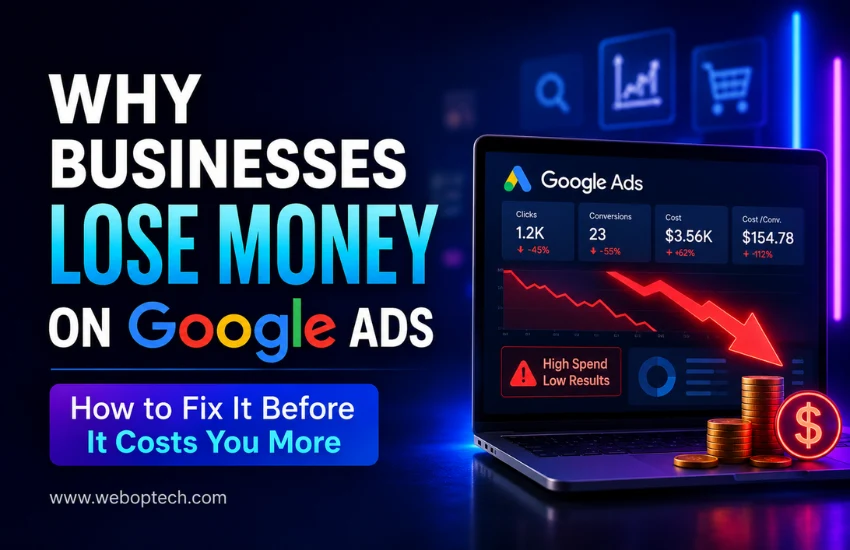
Google Ads mistakes silently draining your marketing budget
09Jul

Why Businesses Lose Money on Google Ads

How to Fix It Before It Costs You More

Let me be direct with you.

Google Ads is one of the most powerful digital advertising platforms in the world. After auditing countless Google Ads accounts – across industries, budgets, and business sizes – the same patterns show up every single time. Businesses are not losing money because Google Ads does not work. They are losing money because of entirely avoidable Google Ads mistakes that quietly drain budgets week after week.

The frustrating part? Most of these mistakes are not obvious. Everything looks fine on the surface – the campaigns are running, the clicks are coming in, the dashboard shows activity. But the conversions are missing, the CPCs are bloated, and the ROI simply does not add up.

What follows is not a beginner’s guide to Google Ads. It is a breakdown of the real reasons accounts underperform – and what needs to change to fix them.

 1. No Goal, No Direction – And Google Will Spend Anyway

This is the first thing I look for when I open an account audit. What is this campaign actually trying to achieve?

More often than not, the campaign was launched without a clearly defined conversion action. No form tracking. No call tracking. No purchase event. Just ‘get more clicks’ – which Google is happy to deliver, at full cost, with zero accountability for results.

Google’s algorithm is not your business partner. It will optimise for whatever signal you give it. If you give it no signal, it optimises for spend. Your budget gets used – just not in your favour.

What to do:

  • Before a single campaign goes live, define the primary conversion action. 
  • Set it up in Google Ads. 
  • Verify it is firing correctly. 
  • Every optimisation decision after that should trace back to this one number.

2. Keyword Strategy Built on Volume, Not Intent

Here is what I see constantly – accounts bidding on high-volume keywords because they look impressive in Keyword Planner. Thousands of monthly searches. Broad match. Let it run.

The problem is that volume does not equal intent. A keyword with 50,000 monthly searches might contain researchers, students, competitors, and casual browsers – none of whom are your buyers. Meanwhile, a tighter, intent-driven keyword with 800 searches might be converting at 12%.

Bidding without intent analysis is how businesses burn through budget in the first two weeks of a campaign and then conclude that ‘Google Ads does not work for our industry.

What separates converting keywords from expensive noise:

  •  Commercial and transactional intent – people ready to act, not just explore
  •  Long-tail phrases that reflect specific, purchase-ready queries
  • Proper match type selection – phrase and exact match give you control
  • Separate ad groups for each tightly themed keyword cluster

What to do:

  • Build your keyword list around buyer intent, not search volume. 
  • Think about what someone types when they are ready to pay – not when they are just looking. 
  • That distinction alone will change your results.

3. The Negative Keyword List Is Either Empty or Never Updated

I have seen accounts spending 30 to 40 percent of their budget on irrelevant searches – simply because nobody reviewed the Search Terms Report.

This is one of the most consistently neglected areas in Google Ads management. Negative keywords are not a one-time setup task. They are an ongoing discipline. Search behaviour shifts. New irrelevant queries emerge. If you are not actively blocking them, you are paying for them.

A B2B software company bidding on ‘project management tool’ might be showing ads for ‘free project management tool for students’ or ‘project management tool meaning’ – searches with zero commercial value.

What to do:

  • Block irrelevant searches at the account level. 
  • Review the Search Terms Report every week without exception. 
  • Build a master negative keyword list from day one and keep adding to it. 
  • This single habit protects more budget than almost any other optimisation.

4. Ad Copy That Blends Into the Background

Most Google Ads copy is forgettable. Same headlines, same structure, same generic calls to action. ‘Quality Service.’ ‘Trusted by Thousands.’ ‘Contact Us Today.’ None of it gives the searcher a reason to choose you over the ad above or below yours.

Here is the truth about ad copy – it is not creative writing. It is a direct response to a specific search query. The person searching has a problem. Your ad needs to reflect their exact problem, offer a specific solution, and give them a clear next step. In three headlines and two descriptions.

What weak ad copy looks like in practice:

  • Headlines that repeat the keyword without adding value or differentiation
  • No mention of a key offer – discount, guarantee, turnaround time, free consultation
  • Calls to action that are vague – ‘Learn More’ when ‘Get Your Free Quote in 24 Hours’ is available
  • Ad messaging that does not match what the landing page says

What to do:

  • Write ads that answer the searcher’s specific question and offer a concrete next step. 
  • Use all available ad extensions. 
  • Run at least two or three ad variants per ad group at all times and let data decide the winner – not instinct.

5. Sending Paid Traffic to a Page That Was Not Built to Convert

This is where I see the most silent budget waste. The campaign looks reasonable. The CTR is decent. But conversion rates are sitting at under 1 percent, and nobody is asking why.

The landing page is the problem. It is slow. It loads differently on mobile. The headline does not match the ad. The form asks for too much information. There is no clear trust signal. The call to action is buried below the fold.

You can have the most precisely targeted, perfectly written ad in the account – but if it sends traffic to a weak page, every click is a waste.

Red flags I check immediately in a landing page audit:

  • Load time above 3 seconds on mobile – a conversion killer in every vertical
  • Headline mismatch – the ad said one thing, the page says something different
  • No single, dominant call to action above the fold
  • Generic page used for multiple campaigns with conflicting messaging
  • No social proof – testimonials, certifications, client logos, case studies

What to do:

  • Create dedicated landing pages for each campaign theme. 
  • Match the ad’s promise exactly on the page. 
  • Keep the focus narrow – one page, one goal, one action. 
  • Test load speed using Google PageSpeed Insights and fix what it flags.

6. Bidding Strategy Chosen for Convenience, Not Performance

Choosing a bidding strategy because it sounds automated and easy is one of the fastest paths to budget waste. Smart Bidding is powerful – but only when it has enough data to work with.

Launching a brand-new campaign with Target CPA or Target ROAS and expecting the algorithm to optimise immediately is a misunderstanding of how machine learning works. Google needs conversion history – typically 30 to 50 conversions per month – before Smart Bidding can make reliable decisions. Before that threshold, it is essentially guessing.

Equally, using Maximise Clicks on a campaign where quality matters over volume will flood you with cheap, irrelevant traffic that looks good in reports and delivers nothing in the pipeline.

What to do:

  • Start new campaigns on Manual CPC or Enhanced CPC. 
  • Build conversion data for 4 to 6 weeks. 
  • Once you consistently hit 30-plus conversions per month, transition to Target CPA or Target ROAS. 
  • Match the strategy to where the campaign actually is – not where you want it to be

7. Conversion Tracking That Is Broken, Incomplete, or Never Verified

This one surprises people when I bring it up in audits – because most accounts technically have conversion tracking set up. The issue is that it is either tracking the wrong thing, double-counting, or firing inconsistently.

I have seen accounts where ‘conversions’ were being counted every time someone visited the thank-you page – including the advertiser refreshing the page during testing. The conversion data looked great. The actual sales pipeline told a completely different story.

Without clean, verified conversion data, every optimisation decision in the account is built on a faulty foundation. Bidding strategies, budget allocation, keyword prioritisation – all of it depends on the accuracy of what you are measuring.

What to do:

  • Audit your conversion tracking before trusting any data in the account. 
  • Use Google Tag Assistant to verify tags are firing correctly. 
  • Track every meaningful action – form submissions, calls, purchases, live chat engagements. 
  • Link Google Ads to Google Analytics 4 for cross-platform visibility.

8. Campaigns Left Running Without Regular Optimisation

Google Ads rewards attention. Accounts that are reviewed, tested, and refined consistently outperform accounts that are launched and left alone – even when the initial setup is identical.

Ad fatigue is real. Competitor bids shift. Seasonal behaviour changes. Search trends evolve. A campaign that performed well in January may be underperforming by March for reasons that only become visible through regular review.

What gets missed when accounts are not actively managed:

  • Underperforming keywords continuing to consume budget without results
  • Ad variants that stopped performing months ago still running unchanged
  • Bid adjustments not updated for device, location, or time-of-day performance shifts
  • Quality Scores declining due to stale ad copy and unchanged landing pages

What to do:

  • Build a fixed weekly review into your process. 
  • Check CTR, conversion rate, cost per conversion, Quality Score, and impression share every week. 
  • Pause what is not working. 
  • Test something new every two weeks. 
  • Small, consistent optimisations compound into significant performance gains over time.

9. Budget Spread Too Thin Across Too Many Campaigns

More campaigns do not mean more results. In fact, the opposite is usually true.

When a limited budget is distributed across too many campaigns or ad groups, no single element accumulates enough data to optimise, enough impressions to build Quality Score, or enough conversions to feed Smart Bidding effectively. Everything runs at a fraction of its potential.

I regularly see accounts with a monthly budget of twenty to thirty thousand rupees split across eight campaigns – each one starved of the spend it needs to gain meaningful traction. The result is mediocre performance everywhere, standout performance nowhere.

What to do:

  • Consolidate. Identify your highest-intent, highest-converting campaigns and concentrate budget there. 
  • A focused account with two or three well-funded, tightly structured campaigns will consistently outperform a fragmented account spread across many. Scale what works – do not dilute it.

Account Audit Checklist – 9 Things to Fix First

The Problem The Fix
No conversion tracking goal Define primary action before campaign launch
Keywords chosen by volume Rebuild around buyer intent, not search volume
Negative keywords neglected Review Search Terms Report weekly – no exceptions
Generic, forgettable ad copy Create specific, benefit-led headlines with tested variants
Weak or mismatched landing page Use dedicated pages with matching messaging and fast load time
Wrong bidding strategy Start with Manual CPC, then move to Smart Bidding after enough data
Broken or unverified tracking Audit conversion tags before trusting campaign data
No active optimisation Review weekly – pause, test, adjust, and repeat
Budget too diluted Consolidate campaigns and invest in top performers

The Bottom Line

Google Ads works. That is not the question.

The question is whether the account running those ads is set up to let the platform perform – or set up to quietly waste budget while delivering the appearance of activity. Every mistake in this article has a fix. None of them require a larger budget. They require the right structure, the right measurement, and consistent attention to what the data is actually saying.

The businesses that win on Google Ads are not the ones spending the most. They are the ones managing their accounts with discipline, testing with intent, and optimising based on real conversion data – not impressions and clicks.

That is the standard every account should be held to.

Need a Google Ads Account Audit?

At WEBOPTECH Solutions Pvt. Ltd, our Google Ads experts help businesses uncover wasted ad spend, improve campaign efficiency, and generate more qualified leads. If your campaigns are generating clicks but not results, we’ll identify exactly where your budget is being wasted and provide a clear roadmap to improve performance.

Visit www.weboptech.com to learn more or request a consultation.

Related Guides You May Find Useful:

👉 Google Ads vs Meta Ads: Which is Better for Your Hospital or Clinic in 2026?
👉 Google Advertiser Verification: Complete Step-by-Step Guide
👉 How Google AI Mode is Changing Paid Search Campaigns in 2026

Tags:

No tags
How AI Mode Transforms Paid Search Marketing
27Jun

How Google AI Mode is Changing Paid Search Campaigns in 2026

Introduction: The Search Landscape Has Shifted

If you are running paid search campaigns in 2026 and still relying on strategies from 2022 or 2023, you are likely leaving performance – and budget – on the table. Google AI Mode is not a minor update. It is a fundamental restructuring of how search works, how users interact with results, and how advertisers earn visibility.

Understanding the mechanics of this shift is no longer optional for digital marketers. This guide breaks down what Google AI Mode is, how it is reshaping paid search campaigns, what the data tells us, and what strategic moves you need to make right now.

Key Points
Google AI Mode has surpassed 1 billion monthly users globally and handles over 1 billion queries every month, making it one of the fastest-adopted search interfaces in Google’s history.

1. What is Google AI Mode – and Why Does It Matter?

Google AI Mode transforms traditional search from a “10 blue links” experience into a conversational, AI-generated response environment. Instead of presenting a list of websites, Google synthesizes information from across the web and delivers a direct, structured answer inside the search results page itself.

There is a critical distinction between two AI-powered surfaces that every marketer needs to understand:

AI Overviews vs. AI Mode – Not the Same Thing

Feature AI Overviews AI Mode
Organic results visible? Yes – AI summary sits on top No – fully conversational, no organic list
User behavior Modifies existing search flow Replaces traditional search entirely
Query share affected ~48% of all queries (2026) Growing – rapidly shifting user base
Ad placement 25.5% of AI Overview SERPs Active experiments – imminent ad launch
Biggest risk Organic click loss Full elimination of organic SERP for engaged users


A January 2026 update now lets users jump directly from AI Overviews into AI Mode conversations, creating a pipeline that moves users from modified search into a fully AI-native experience. For advertisers, this means the surface where your ads appear is evolving – fast.

2. The Data Picture: AI Mode Growth in Numbers

Before adjusting strategy, it helps to understand the scale and speed of adoption. Here is what the data shows:

Metric Figure Context
AI Mode daily active users 75 million+ As of late 2025, growing 4x since May 2025 launch
Monthly active users 100 million+ Across US and India markets
Monthly query volume 1 billion+ Processed through AI Mode infrastructure
Ads in AI Overview SERPs 25.5% Up 394% year-over-year
AI-referred traffic conversion rate 1.3% (up 55%) Fewer but higher-intent clicks (Contentsquare, 2026)
Organic search traffic change -9% year-over-year AI surfaces filtering lower-intent visits
Google Search revenue (Q1 2026) $60.4 billion +19% YoY – Alphabet Q1 2026 earnings
Google Network revenue (Q1 2026) $6.97 billion -4% YoY – open web losing ground


Strategic Insight
Fewer visits do not automatically mean weaker demand. AI Mode is filtering out lower-intent research visits while preserving – and even concentrating – high-intent buying traffic. The conversion quality is improving even as raw click volume may decline.

3. How AI Mode is Changing Paid Search Campaigns

3.1 The Auction Has Changed

Traditional paid search was built on a clear, keyword-driven auction: a user types a query, ads compete for placement, and marketers measure impressions, clicks, and conversions. AI Mode complicates that entire flow.

Users can now ask longer, more nuanced questions, refine their answers conversationally, compare options, and move closer to a purchase decision – all without returning to a standard search results page. The linear path from query to click to conversion has become a multi-turn conversation.

What this means for advertisers:

  • Keyword-level targeting becomes less precise as queries become longer and more conversational
  • Impression share metrics may drop even when ad spend stays the same
  • The user’s decision-making journey now happens partly inside Google’s own AI interface
  • Attribution models built on last-click logic are becoming significantly less reliable

3.2 New Ad Placements – and New Campaign Types

Google has significantly expanded ad eligibility within AI surfaces. As of 2026, the following campaign types can qualify for AI Overview and AI Mode placements:

Campaign Type AI Mode Eligibility Key Consideration
Performance Max (PMax) Yes – automatic eligibility Review placement reports for AI-related impressions
AI Max for Search Yes – primary vehicle for AI placements Auto-upgraded from DSA, broad match & ACA in Sept 2026
Broad Match Search Campaigns Yes Monitor for expanded query matching in AI surfaces
Shopping Campaigns Yes Feed quality and product data become critical signals
Standard Search (Exact/Phrase) Limited – reduced AI surface reach May miss AI Mode placements without AI Max enabled


Important: Auto-Upgrade Alert
Starting September 2026, Google will automatically upgrade Dynamic Search Ads (DSA), automatically created assets (ACA), and campaign-level broad match settings to AI Max. New DSA creation has already been discontinued. Audit your campaigns now to avoid unexpected changes to your targeting and spend.

3.3 AI Max for Search – Opportunity and Risk

AI Max for Search is Google’s primary mechanism for connecting ads to AI-driven search experiences. It goes beyond keyword-based campaigns by using intent signals to serve ads in AI Overview and AI Mode environments. However, performance data from independent testing paints a nuanced picture:

  • Across 23 AI Max tests, accounts using all three AI Max features together outperformed those using single features
  • Text customization lifted ad relevance and Quality Score in the majority of tests
  • 84% of advertisers saw neutral or negative AI Max outcomes in independent testing when measured at account level
  • Gains were smaller at account level than campaign level – much of the “new” traffic was cannibalized from existing campaigns rather than representing net-new demand
  • Cheaper clicks were observed in some accounts, but with fewer conversions and higher cost per lead

Bottom line: AI Max can work – but it is very easy to misread performance gains. Broad reach can mask weaker buyer intent. Always measure incrementality, not just aggregate campaign-level improvement.

4. SEO and Paid Search Are No Longer Separate Conversations

One of the most significant strategic shifts of the Google AI Mode era is this: the traditional separation between SEO and paid search strategy no longer holds.

AI Mode’s ad placements and AI Overview citations are both heavily influenced by the same underlying factors – the quality, structure, and authority of your website content. Specifically:

  • AI Mode synthesizes answers from structured, crawlable, high-quality content
  • Ad eligibility in AI surfaces depends on landing page quality and content relevance
  • Your brand’s presence in AI-generated organic answers directly influences the trust signals that affect your paid ad performance
  • Conversion tracking cleanup is essential – AI Mode ad formats and Performance Max rely heavily on conversion signal quality
The Right Frame
Stop treating organic, paid, and AI search as separate channel conversations. Total SERP visibility – how your brand appears across all three surfaces simultaneously – is now the correct framework for planning and reporting search strategy.

5. Strategic Recommendations for Paid Search in 2026

5.1 Audit Your AI Surface Exposure

Before making any changes, understand where your ads are currently appearing in AI surfaces and what share of your spend is going there.

  • Review placement reports in Google Ads for AI-related impressions and clicks
  • Check what percentage of your current ad spend is allocated to AI placements vs. traditional search results
  • Identify which campaigns are already eligible for AI Overview placements through PMax or broad match

5.2 Rebuild Your Bidding Strategy Around Intent Signals

Smart bidding driven by intent signals – not just keywords – is becoming the standard in an AI-first search environment. Keyword-level control is diminishing; signal quality is everything.

  • Invest in first-party data infrastructure – clean CRM data, audience lists, and customer match audiences
  • Set up conversion tracking that reflects actual business outcomes, not just form fills or page views
  • Use tROAS and tCPA bidding strategies that can optimize across the full AI-influenced funnel
  • Avoid over-restricting with negative keywords – this limits the benefits of intent-based targeting in AI surfaces

5.3 Prioritize Landing Page and Feed Quality

AI Mode and AI Max placements both depend on structured, accurate, and clearly relevant landing pages and product feeds. Poor landing page quality is a disqualifying factor.

  • Rebuild key landing pages around specific, discrete questions your target users ask – not just keyword density
  • Ensure product feeds are complete, accurate, and updated for Shopping campaigns
  • Use schema markup to help Google’s AI systems understand your content context
  • Content restructured around named sources, concrete claims, and factual answers performs better in AI surfaces

5.4 Diversify Beyond Google’s Owned Surfaces

Alphabet’s Q1 2026 earnings told a clear story: Google’s owned surfaces are growing while the open web contracts. Smart advertisers are responding by building presence across multiple channels that work alongside – and outside – AI search.

  • YouTube: increasingly important as AI Mode drives users toward video-format answers
  • Paid social: essential for upper-funnel discovery as AI search compresses the research phase
  • Connected TV (CTV): growing channel for brand awareness that feeds into AI-influenced search intent
  • Marketplace advertising (Amazon, Flipkart): critical for e-commerce brands whose organic visibility in AI surfaces is under pressure

5.5 Monitor AI Mode Impact With a Dedicated Dashboard

Standard aggregate reporting will not show you the full picture of AI Mode’s impact on your campaigns. You need a more granular view.

  • Track CTR gaps by intent type – navigational, informational, and transactional queries are impacted differently
  • Monitor impression-to-click trends weekly rather than monthly to catch shifts early
  • Segment branded vs. non-branded search terms and tag by intent to identify where AI Mode is creating gaps
  • Compare year-over-year conversion volume vs. year-over-year click volume – if conversions hold but clicks drop, AI Mode is filtering intent positively

6. What Google I/O 2026 Told Us About the Direction of Travel

Google’s I/O 2026 announcements made the platform’s strategic direction unmistakably clear. Gemini-based tools now span campaign creation, creative development, measurement, reporting, and commerce. Key announcements relevant to paid search advertisers include:

  • Ask Advisor: AI-powered campaign recommendations built directly into the Google Ads interface
  • Asset Studio: Gemini-powered creative generation for ads, reducing reliance on manually produced assets
  • AI Search ad experiences: New ad formats designed specifically for AI-native search environments
  • Agentic commerce infrastructure: Google is building the capacity for AI to complete purchases on behalf of users – a major shift for transactional paid search

The direction is clear: Google is automating more of the advertising workflow with every update. The advertisers who will win are those who learn to work strategically with these systems – feeding them the right signals, creative, and data – rather than fighting against automation or ignoring it.

7. Quick Reference: AI Mode Paid Search Checklist for 2026

Priority Action Item
Critical Audit AI surface placement reports in Google Ads
Critical Review and clean up conversion tracking
Critical Understand AI Max auto-upgrade timeline (Sept 2026)
High Build or refresh first-party data and audience lists
High Rebuild landing pages around question-based, structured content
High Set up a weekly AI Mode impact monitoring dashboard
High Update product feeds for Shopping and AI surface eligibility
Medium Diversify budget allocation to YouTube, social, and CTV
Medium Review branded campaign settings and AI Max inclusion lists
Medium Align SEO and paid search teams on total SERP visibility goals

Conclusion: Adapt Now – The Window is Open

Google AI Mode is not a future threat to paid search – it is a present reality reshaping how search works, how users behave, and how ad budgets are deployed. The data is clear: AI Mode is growing at extraordinary speed, ad visibility in AI surfaces is expanding, and the traditional keyword-driven paid search playbook needs a significant update.

The good news is that the structural fundamentals of effective advertising still apply: strong signals, quality creative, relevant landing pages, and clear conversion tracking. The marketers who adapt these fundamentals to an AI-first search environment will be best positioned to maintain – and grow – performance in 2026 and beyond.

The window to adapt proactively is open. The advertisers who move now will have a significant advantage over those who wait for their performance metrics to force the change.

About WEBOPTECH Solutions Pvt. Ltd
WEBOPTECH Solutions Pvt. Ltd is a full-service digital marketing agency specializing in Answer Engine Optimization (AEO), Generative Engine Optimization (GEO), SEO, paid search, social media, website design and development, and performance marketing strategies. We help businesses navigate evolving search landscapes with data-driven, results-focused campaigns. Visit us at www.weboptech.com

Discover More Topics You May Find Helpful:

👉 SEO vs Google Ads: Which One Drives Sales Quicker for Small Businesses?
👉 10 Best AI Tools for Social Media Marketing in 2026 (Boost Reach & Save Time)
👉 Google Ads vs Meta Ads: Which is Better for Your Hospital or Clinic in 2026?
👉 Google Advertiser Verification: Complete Step-by-Step Guide (2025 Updated)

Tags:

No tags
Top 10 AI Video Generators in 2026
10Jun

10 Best AI Video Generators in 2026

Let’s be honest – video content is no longer optional for businesses. It drives engagement, builds trust, and converts better than any other format on social media. As a Social Media Executive at WEBOPTECH Solutions, I’ve personally tested dozens of AI video tools to create content for our clients across industries. Some tools saved hours of work. Others were a complete waste of time and budget.

This guide cuts through the noise. Here are the 10 best AI video generators in 2026 – tools that actually deliver results for marketers, agencies, and growing businesses. And if you’re also looking to streamline your broader workflow, check out our guide on the best AI tools for social media marketing, where we cover content planning, scheduling, and more.

Quick Note:
Not all AI video tools work the same way. Some are built for text-to-video generation, others specialize in avatar-based videos or social media clips. Choose a tool based on your specific content goal – not just popularity or hype.


Quick Comparison Table – 10 Best AI Video Generators in 2026


Tool Best For Free Plan Free Trial Starting Price
Sora by OpenAI Cinematic storytelling No No $20/mo (via ChatGPT Plus)
Runway Gen-4.5 Creative & cinematic control Yes (125 credits) No $12/mo
Synthesia Avatar & multilingual videos Yes (limited) No $29/mo
Pika Labs Social media short clips Yes (with watermark) No $8/mo
HeyGen Personalized & translated video Yes (3 videos/mo) No $29/mo
InVideo AI Script-to-video for marketers Yes (with watermark) No $28/mo
Kling AI Realistic human motion Yes (free tier) No $6.99/mo
Luma Dream Machine Cinematic & atmospheric content Yes (limited credits) No $7.99/mo
Descript AI-powered video editing Yes (with watermark) No $24/mo
Canva AI Video Beginners & branded content Yes (basic) Yes (30 days) $15/mo (Canva Pro)


1. Sora by OpenAI

  • Best for: Cinematic brand storytelling and premium visual content
  • Free basic version available: No
  • Free trial period: No – accessible via ChatGPT Plus or Pro subscription
  • Pricing: $20/mo (ChatGPT Plus – unlimited 480p) | $200/mo (ChatGPT Pro – up to 1080p with 10,000 credits)

OpenAI’s Sora 2 has firmly established itself as the benchmark for text-to-video quality in 2026. It generates cinematic, high-resolution videos from detailed text prompts with remarkable accuracy in motion, physics, and depth – including synchronized audio that matches the visual content natively.

What sets Sora apart is its narrative consistency. It’s particularly strong at maintaining temporal flow, making videos feel like a coherent story rather than a stitched-together collection of clips. For brands that need premium visual content without a production team, Sora is worth the investment.

Limitation: Requires detailed prompts for consistent results. Individual clip length is capped at 20 seconds, so longer videos need stitching in post-production.

2. Runway Gen-4.5

  • Best for: Filmmakers, creative agencies, and advanced video production
  • Free basic version available: Yes – one-time 125 credits on free plan
  • Free trial period: No formal trial, but free credits allow meaningful testing
  • Pricing: $12/mo (Standard – 625 credits) | $35/mo (Pro – 2,250 credits) | $95/mo (Unlimited)

Runway continues to be the go-to platform for creative professionals who want granular control alongside quality output. Gen-4.5 leads industry benchmarks for camera motion, scene consistency, and 4K upscaling. The multi-motion brush tool allows frame-level creative direction that no other tool currently matches.

For social media marketing teams running multiple client accounts, Runway’s consistency and creative control deliver a significant competitive edge. It’s the right choice for high-production value campaigns where brand aesthetics are non-negotiable.

Limitation: Higher learning curve for beginners. Credit-based system can add up quickly at high output volumes.

3. Synthesia

  • Best for: Avatar-led explainer videos, corporate training, multilingual campaigns
  • Free basic version available: Yes – 3 minutes per month with watermark
  • Free trial period: No dedicated trial – free plan available to start
  • Pricing: $29/mo (Starter – 125+ avatars, 120 min/year) | Enterprise pricing available

Synthesia is the gold standard for AI avatar videos. You type a script, choose from 160+ AI presenters, and get a professional talking-head video – no camera, no studio, no recording setup needed. In 2026, it supports over 230 languages with accurate lip-sync, making it the most mature platform for multilingual video at scale.

We’ve used Synthesia at WEBOPTECH for client onboarding videos and multilingual ad content. It cuts production time by nearly 80% while maintaining a professional, on-brand look every time.

Limitation: Not ideal for dynamic or action-heavy content. Can appear slightly artificial on large screens at close range.

4. Pika Labs

  • Best for: Social media short clips, quick visual content, experimental creative work
  • Free basic version available: Yes – free tier with watermark
  • Free trial period: No – free plan available directly
  • Pricing: $8/mo (Basic) | Higher tiers available for volume

Pika Labs is one of the fastest-growing AI video platforms in 2026. It specializes in short-form, high-energy video clips optimized for Instagram Reels, YouTube Shorts, and similar formats. The interface is clean, the output is sharp, and the turnaround is fast – typically 10-15 seconds per generation.

Unique features like Pikaframes (interpolation between two images), Pikaffects (stylized visual transformations), and AI Lip Sync make it a genuinely versatile creative tool. For teams managing Instagram marketing or YouTube content at volume, Pika is the most accessible high-output option available.

Limitation: Less reliable for complex scenes with multiple moving elements. Resolution is lower on the free plan (480p).

5. HeyGen

  • Best for: Personalized video marketing, sales outreach, multilingual video translation
  • Free basic version available: Yes – up to 3 videos per month
  • Free trial period: No formal trial – free plan available
  • Pricing: $29/mo (Creator – unlimited videos) | $39/mo per seat (Team – 4K export, collaboration)

HeyGen combines avatar technology with business-grade features that go beyond basic video creation. Its standout capability in 2026 is AI-powered video translation – it takes an existing video of a real person and realistically dubs it into multiple languages, cloning the original speaker’s voice and syncing lip movements to match perfectly.

For brands running personalized outreach campaigns or targeting multilingual audiences, HeyGen adds a human touch at scale that no other tool replicates as convincingly.

Limitation: Free plan is significantly restricted. Best value is unlocked at the Creator tier and above.

💡 Pro Tip from Our Team: When using AI avatar tools like Synthesia or HeyGen, always add your brand’s color palette, logo overlay, and a clear CTA to every video. An AI video without brand identity is just content – not marketing. The tools generate the video; your branding makes it convert.

6. InVideo AI

  • Best for: Script-to-video production, content repurposing, ad creatives for marketers
  • Free basic version available: Yes – with watermark and limited exports
  • Free trial period: No – free plan available to start
  • Pricing: $28/mo (Plus) | $50/mo (Max – voice cloning, longer exports)

InVideo AI stands out in 2026 for one major reason: it’s the only platform that bundles both OpenAI’s Sora 2 and Google’s VEO 3.1 within a single subscription – two frontier models that would cost $450+/month separately. It turns a text prompt into a complete video with script, footage, voiceover, subtitles, music, and transitions automatically.

For businesses looking to repurpose their SEO content and blog posts into video format quickly and affordably, InVideo AI offers the strongest end-to-end pipeline in its price range. It’s also the tool we most recommend to clients who are new to AI video production and want results fast.

Limitation: Credit costs for frontier models are billed at API rates within the platform. Stock footage-heavy outputs can sometimes feel template-like in style.

7. Kling AI

  • Best for: Realistic human motion, lifestyle content, budget-conscious video production
  • Free basic version available: Yes – free tier with 5-second generations available
  • Free trial period: No – free plan available
  • Pricing: $6.99/mo (Standard – ~22 videos/month) | $37/mo (Pro – ~50 videos/month)

Kling AI by Kuaishou is the strongest budget-friendly option for realistic video in 2026. Its handling of facial expressions, body movement, and clothing physics outperforms most Western competitors at equivalent price points – making it particularly effective for human-centric content.

Brands in healthcare, travel, or real estate will find Kling’s realistic visual output highly effective for trust-building content. At $6.99/month, it offers the best credit-to-dollar ratio in the market right now – and the free tier is genuinely useful for testing before committing.

Limitation: Prompt adherence for complex compositional requests is weaker than Sora or Runway. Interface is less polished than US-based alternatives.

8. Luma Dream Machine

  • Best for: Premium cinematic content, atmospheric scenes, luxury and travel brands
  • Free basic version available: Yes – limited free credits
  • Free trial period: No formal trial
  • Pricing: $7.99/mo (Lite) | Higher tiers for professional volume

Luma’s Dream Machine (now running on the Ray3 model) continues to be a favorite for content that needs atmosphere over action. It transforms text and image prompts into fluid, visually refined video clips with Hi-Fi 4K HDR output and superior physics simulation for slow, cinematic movement.

For travel and tourism businesses, Luma produces destination visuals that genuinely capture emotion – the kind of content that makes people stop scrolling and take notice.

Limitation: Motion becomes unstable during fast camera moves or dynamic action sequences. Best suited for atmospheric and lifestyle visuals, not fast-paced content.

9. Descript

  • Best for: Video editing, podcast clips, YouTube long-form content, team collaboration
  • Free basic version available: Yes – free plan with watermark and limited transcription
  • Free trial period: No – free plan available
  • Pricing: $24/mo (Creator) | Higher tiers for teams

Descript takes a fundamentally different approach – it’s built around AI-powered editing, not pure generation. Its breakthrough feature remains text-based editing: cut a sentence from the transcript and the video cuts with it. Add AI voice cloning, apply Studio Sound to fix rough audio, remove filler words automatically, and generate highlight reels using AI Clips.

In 2026, Descript’s Underlord AI assistant allows plain-language editing commands, making it the most complete post-production experience powered by AI. For teams producing YouTube video marketing content regularly, Descript removes the biggest time bottleneck in the production workflow.

Limitation: Requires raw footage to start – it’s an editor, not a generator. Best suited for teams with existing video content to refine and repurpose.

10. Canva AI Video (Magic Studio)

  • Best for: Non-designers, small businesses, quick branded social content
  • Free basic version available: Yes – basic Canva free plan included
  • Free trial period: Yes – 30-day free trial of Canva Pro available
  • Pricing: $15/mo (Canva Pro – includes Magic Studio AI features)

Canva’s Magic Studio makes AI video generation accessible to anyone already using Canva for design. For non-designers and small business owners, it bridges the gap between design and video in one familiar interface. Brand kit integration means every video automatically pulls your colors, fonts, and logo – a meaningful time-saver for businesses managing their own content independently.

For small businesses handling their own social media marketing without a dedicated team, Canva AI Video offers the most practical and affordable entry point to video creation in 2026.

Limitation: Output quality doesn’t match dedicated AI video tools. Best suited for branded announcement and social content, not cinematic or high-production campaigns.

Which AI Video Generator Should You Use?

Here’s a quick decision guide based on your business goal:

  • For premium cinematic brand videos: Sora by OpenAI or Runway Gen-4.5
  • For avatar and multilingual spokesperson content: Synthesia or HeyGen
  • For social media reels and shorts at volume: Pika Labs or InVideo AI
  • For realistic human motion on a budget: Kling AI
  • For atmospheric, cinematic travel or lifestyle content: Luma Dream Machine
  • For post-production editing and YouTube workflow: Descript
  • For beginners and small businesses starting out: Canva AI Video

The right tool depends on your content goal, budget, and team capacity. At WEBOPTECH Solutions, we don’t believe in a one-size-fits-all approach – the same philosophy applies to AI video tools.

Final Thoughts

AI video generation has moved from a novelty to a core part of any serious digital marketing strategy. In 2026, the businesses winning on social media are those producing high-quality, consistent video content – without burning through their entire content budget.

The tools listed above are the ones we’ve personally evaluated, and the ones genuinely worth your time. Start with one, get comfortable with its output, and build your video workflow from there. And if you haven’t already, explore our full breakdown of the best AI tools for social media marketing to build a complete, results-driven content system.

Need help building a results-driven social media strategy for your business? Contact WEBOPTECH Solutions and let’s create content that actually converts.

Tags:

No tags
Grow your business online in 2026 tips
02Jun

10 Ways to Grow Your Business Online in 2026

The digital landscape has never moved faster. Businesses that thrived in 2023 are struggling to stay visible today – not because their product changed, but because the online world around them did. At WEBOPTECH Solutions, we work every day with brands trying to answer one question: How do we actually grow your business online in 2026? This guide is the answer – built from real campaigns, real data, and results our clients have seen across industries.

Note: Growing a business online in 2026 is not about doing everything. It is about doing the right things consistently. Start with two or three strategies from this list and master them before expanding.

Quick Strategy Overview

Strategy Main Goal Expected Result Difficulty Level
SEO Website Better visibility More organic traffic Medium
Local + Semantic SEO Targeted reach Quality leads Medium
Content Marketing Authority building Long-term growth Medium
Paid Ads Quick conversions Instant leads High
Social Media Brand awareness Engagement + reach Medium
Email Marketing Customer retention High ROI Low
Reputation Management Trust building Higher conversions Low
AI Tools Efficiency Faster scaling Medium
Influencer Marketing Audience trust Niche conversions Medium
Analytics & Tracking Data insights Better decisions Low

1. Build a High-Performance, SEO-Optimized Website

Your website is your most valuable digital asset. A slow, outdated site loses customers before they even read your offer. In 2026, Core Web Vitals are non-negotiable – Google rewards sites that load fast, respond instantly on mobile, and deliver a seamless experience. Invest in a site that converts, not just one that looks good.

Key Focus Areas

Prioritize mobile-first design, achieve sub-3-second page speed, use clear call-to-actions (CTAs), and implement structured data markup to improve search visibility and user experience.

2. Prioritize Local and Semantic SEO

Search intent has evolved. People are not just typing keywords – they are asking full questions. Semantic SEO means creating content that answers real questions your audience is asking.

Pair this with local SEO – optimized Google Business Profile, location-based keywords, and consistent NAP data – and you build authority that drives foot traffic and online leads simultaneously.

If you are unsure where to focus your budget for faster results, explore our guide on SEO vs Google Ads for small businesses to make a smarter decision.

3. Invest in Content Marketing That Solves Problems

Generic content does not rank. Problem-solving content does. Map every blog post, guide, or video to a specific pain point your customer has. When your content becomes the answer to their problem, Google notices – and so do your prospects.

A solid content marketing strategy in 2026 includes:

  • Long-form guides (1,000+ words)
  • Video content
  • FAQs
  • Consistent publishing

Brands that post 3–4 times per week see 3.5x more traffic than those that post occasionally.

4. Use Paid Ads Strategically – Not Broadly

Running ads without targeting is like broadcasting on a frequency no one listens to. In 2026, Google Ads and Meta Ads require tight audience segmentation, compelling creative, and data-driven bidding strategies. Use retargeting to re-engage warm audiences and focus budget on high-intent keywords that convert – not just keywords that generate clicks.

Before scaling your ads, make sure your account is properly verified and compliant: 👉 Google advertiser verification step-by-step guide

A WEBOPTECH-managed ad campaign consistently achieves 3x-5x ROAS for clients in competitive verticals because we eliminate wasted spend from day one.

5. Dominate Social Media With Purpose-Driven Content

Social media in 2026 rewards specificity. A brand that stands for something specific grows faster than one that posts everything. Define your content pillars – education, behind-the-scenes, testimonials, industry insights – and show up consistently on the platforms where your audience actually spends time.

Short-form video on Instagram Reels, YouTube Shorts, and LinkedIn continues to generate exceptional organic reach. Pair it with social media management that responds, engages, and builds community.

Quick Win: Repurpose one long-form blog post into five short social media posts, one short video script, and one email newsletter. That is six pieces of content from one idea – a proven way to multiply output without multiplying effort.


6. Leverage Email Marketing for High-ROI Retention

Email is still the highest-ROI channel in digital marketing – returning an average of $42 for every $1 spent. But it only works when done right. Build segmented lists, write subject lines that earn the open, and send emails that deliver value – not just promotions.

Automate email sequences for welcome flows, cart recovery, re-engagement, and post-purchase follow-ups. This is retention marketing that runs while you sleep.

7. Build Trust With Online Reviews and Reputation Management

In 2026, your online reputation is your first impression. 93% of consumers read reviews before making a purchase decision. Proactively ask satisfied customers for Google reviews, respond professionally to negative feedback, and monitor mentions across platforms.

A strong reputation management strategy builds the social proof that converts hesitant visitors into paying customers – and keeps them coming back.

8. Use AI-Powered Tools to Scale Smarter

AI is no longer optional – it is a competitive edge. From AI-driven content creation and AI video generation tools to predictive analytics and chatbot automation, smart businesses are using AI to do in hours what used to take weeks. The key is using AI to amplify human strategy, not replace it.

At WEBOPTECH, we integrate AI across campaign workflows – from keyword research to ad copy testing – to deliver faster results with tighter margins.

9. Partner With Micro-Influencers in Your Niche

Mega-influencers impress. Micro-influencers convert. Audiences of 5,000 to 100,000 followers tend to have higher engagement rates and more trust with their community. Find voices in your niche who genuinely align with your brand values, and build long-term partnerships rather than one-off promotions.

An influencer marketing campaign built on authenticity drives measurable sales, not just vanity metrics.

10. Track Everything and Optimize Relentlessly

Every marketing decision should be data-backed. Set up Google Analytics 4, monitor your Search Console data weekly, track conversion rates by channel, and review your ad performance monthly. Businesses that measure grow faster – because they know what to double down on and what to cut.

A results-driven growth strategy is never static. It evolves as your data evolves. That is the difference between businesses that plateau and those that scale.

Final Thoughts

Growing your business online in 2026 is not about shortcuts – it is about stacking the right strategies, measuring what works, and staying consistent long enough to see compounding results. Each of these 10 methods is proven. Each one is actionable today.

At WEBOPTECH, we help businesses turn these strategies into systems that generate real, predictable growth online. Whether you need a full digital marketing partner or support on a specific channel, we are ready to help you grow.


Tags:

No tags
ChatGPT vs Google Gemini -Which AI Tool Actually Wins for Social Media Marketers?
30Mar

ChatGPT vs Google Gemini in 2026 (Which AI Tool Actually Wins for Social Media Marketers?)

Let me be honest with you. When AI tools started flooding the market, I was sceptical. As a Social Media Executive, the last thing I needed was another tool that promised everything and delivered average results. So I did what any marketer would do: I rolled up my sleeves, used both ChatGPT and Google Gemini for real tasks, and let the results speak for themselves.

This is not a sponsored review. This is a hands-on comparison from someone who has actually used these tools to write captions, plan content calendars, research trending hashtags, draft ad copies, and more. If you are trying to decide which one to add to your social media workflow, read this before you commit.


First Things First: What Are These Tools?

Before we dive into the comparison of ChatGPT vs Google Gemini, a quick refresher for those just getting started.

OpenAI develops ChatGPT. It is a conversational AI that generates text based on your prompts. It is trained on vast amounts of internet data and is known for producing creative, detailed, and nuanced content. The free version runs on GPT-3.5, while the paid version (ChatGPT Plus) uses GPT-4, which is significantly more powerful.

Google Gemini (formerly Bard) is Google’s answer to ChatGPT. It is built on Google’s own large language models and is deeply integrated with Google’s ecosystem – Search, Docs, Gmail, and more. Gemini’s biggest advantage? It can pull real-time information from the web, which is a game-changer for marketers who need current data.

Both tools are impressive. But for social media marketing specifically, they each shine in very different areas, and that difference matters.


Real-World Use Cases: What I Actually Tested

1. Writing Social Media Captions

I gave both tools the same brief: Write five Instagram captions for a digital marketing agency promoting its SEO services. Target audience: small business owners. Tone: friendly but professional.

  • ChatGPT delivered captions that felt more polished, varied in structure, and had stronger hooks. It understood tone nuance really well. 
  • Gemini produced decent captions, but they felt slightly templated, like they were following a pattern rather than genuinely crafting language.

Winner for captions: ChatGPT, by a clear margin.

2. Researching Trending Topics

This is where Gemini absolutely dominates. I asked both tools to give me the top trending digital marketing topics this week. 

  • ChatGPT gave me solid information, but it was based on its training data, which has a cutoff date. It could not tell me what was trending right now.
  • Gemini pulled live results. It connected to the web and gave me current conversations, recent LinkedIn posts, and emerging hashtags. For a social media executive who lives and breathes real-time trends, this is not a small advantage. It is huge.

Winner for trend research: Gemini, hands down.

3. Content Calendar Planning

I asked both to create a one-month content calendar for a digital marketing brand, including post ideas, themes, and posting frequency across LinkedIn, Instagram, and X (formerly Twitter).

  • ChatGPT gave me a more structured and thoughtful plan. It organised themes by week, suggested content pillars, and even included engagement prompts. 
  • Gemini’s version was functional but felt less strategic. It was more of a list than a genuine marketing plan.

Winner for content planning: ChatGPT.

4. Ad Copy Writing

I tested both with this: Write a Google Ads headline and description for a digital marketing agency offering social media management services.

  • ChatGPT produced punchy, benefit-driven copy with strong CTAs. It naturally incorporated persuasive language without being pushy. 
  • Gemini’s output was more straightforward – accurate, but lacking the persuasive edge that good ad copy needs.

Winner for ad copy: ChatGPT.

5. Hashtag Research and Strategy

For hashtag strategy, I needed a mix of high-volume and niche tags for a LinkedIn post about AI in digital marketing. 

  • Gemini won this round because it could search and surface relevant hashtags currently.
  • ChatGPT gave me solid evergreen suggestions, but could not validate their current performance.

Winner for hashtags: Gemini, because relevance is time-sensitive.

Feature-by-Feature Breakdown

Here is a quick summary of how the two tools compare across the most important factors for social media marketers:

  • Real-time web access: Gemini Yes | ChatGPT No (free) / Yes (Plus with browsing)
  • Content creativity and tone: ChatGPT stronger | Gemini good
  • Google Workspace integration: Gemini Yes | ChatGPT No
  • Image generation: ChatGPT (DALL-E 3 on Plus) | Gemini (basic)
  • Multilingual support: Both supported
  • Ease of use for beginners: Both easy
  • Free plan quality: Gemini stronger | ChatGPT decent
  • Best for long-form content: ChatGPT stronger | Gemini good

If you want a broader look at how these and other AI tools are reshaping digital marketing in 2026, our detailed guide on the 10 best AI tools for social media marketing covers everything from content creation to scheduling and analytics.

Bottom line: If you want creative firepower, go with ChatGPT. If you need real-time data and Google integration, go with Gemini.

ChatGPT Pricing Plans (2026)

Understanding the cost before you commit is important. ChatGPT currently offers six tiers, ranging from free access to enterprise-level plans. Here is a clear breakdown:

Plan Price (USD) Key Features for Marketers
Free $0 / month GPT-5.3 (limited), 10 msgs per 5 hrs, basic image gen, ads (US)
Go $8 / month GPT-5.2 Instant, more messages/uploads, custom GPTs, includes ads
Plus $20 / month GPT-5.4 Thinking, Deep Research (10 runs), DALL-E, Sora, Agent Mode – ad-free
Pro $200 / month Unlimited GPT-5.4 Pro, 250 Deep Research runs, max context window
Business $25 / user/month Team workspace, SAML SSO, SOC 2, 60+ app integrations, no training on data
Enterprise Custom pricing Unlimited access, enterprise security, SLAs, data residency, 24/7 support

For most social media marketers, ChatGPT Plus at $20/month is the sweet spot. It gives you access to the full model suite, DALL-E image generation, Deep Research, and Agent Mode – all without ads. If you are on a tight budget, the Go plan at $8/month works for basic content tasks, but it includes ads and skips advanced features.

Google Gemini Pricing Plans (2026)

Google Gemini’s pricing is structured around individual users and teams, with a clear upgrade path from free to enterprise. Here is how it breaks down:

Plan Price (USD) Key Features for Marketers
Free $0 / month Gemini 2.5 Flash, limited Gemini 2.5 Pro, Deep Research, Gemini Live, 100 AI credits
Google AI Pro $19.99 / month Gemini 3.1 Pro, 1,000 AI credits, Deep Research, Workspace integration, 2 TB storage, 1-month free trial
Google AI Ultra $124.99 / 3 months Highest Gemini 3.1 Pro access, 25,000 AI credits, Veo 3.1 video gen, Agent Mode, 30 TB storage, YouTube Premium
Workspace Business From $20 / user/month Gemini in Gmail, Docs, Sheets, Meet – 1-year commitment
Workspace Enterprise From $30 / user/month Enterprise-grade security, advanced admin controls, and compliance features

Google AI Pro at $19.99/month is Gemini’s best value plan for marketers. It comes with a free first month, Gemini 3.1 Pro access, 2 TB of Google Drive storage, and full Workspace integration across Gmail and Docs. If you are already deep in the Google ecosystem, this plan practically pays for itself in time saved.

Which One Should You Use for Social Media Marketing?

Honest recommendation based on personal experience:

Use ChatGPT if you are:

  • Creating content in bulk – captions, blog posts, ad copies, email newsletters
  • Writing scripts for Reels or YouTube Shorts
  • Looking for a creative partner that understands tone and adapts to brand voice
  • Wanting content that actually sounds human

Use Google Gemini if you are:

  • Staying on top of trends or researching competitors
  • Integrating AI into Google Workspace workflows
  • Needing live data access for accuracy alongside creativity

My personal workflow? I use both. I brainstorm and draft content in ChatGPT, then validate trends and cross-reference current data in Gemini. They are not rivals in my toolkit. They are teammates.

A Word of Caution: AI Is a Tool, Not a Strategy

I want to address something that gets glossed over in most AI comparisons. Neither ChatGPT nor Gemini replaces strategic thinking. They can write a caption, but they cannot tell you why your audience stopped engaging last month. They can generate hashtag ideas, but they cannot replace a deep understanding of your brand’s community.

AI tools speed up execution. They help you produce more, experiment faster, and overcome creative blocks. But the strategy – the why behind every post, campaign, and piece of content – still needs a human brain behind it.

At WebOpTech Solutions, we use AI tools to enhance our team’s output, not to replace their expertise. The result is faster delivery, sharper content, and strategies that are grounded in real data and genuine marketing know-how.

SEO Tip: Leverage AI for Keyword-Rich Content, But Edit It

Both ChatGPT and Gemini can help with SEO content writing. But here is a critical mistake I see brands make. They publish AI-generated content without editing it. Google’s algorithms are sophisticated. Content that lacks originality, personal experience, or expert perspective will not rank as well as content that does.

Use AI to build the first draft. Then add your brand’s voice, real examples, updated statistics, and original insights. That combination – AI efficiency plus human expertise – is what creates content that ranks and resonates.

Conclusion:

After testing ChatGPT vs Google Gemini in a real social media marketing environment, here is where I stand:

  • ChatGPT is the better creative writer – ideal for captions, ad copy, scripts, and long-form content.
  • Google Gemini is the better researcher – ideal for trend analysis, real-time data, and Google ecosystem integration.
  • Neither tool is a silver bullet. Used together, they are a powerful combination.
  • Strategy, brand voice, and human judgment cannot be automated and should not be.

If you are a social media executive or digital marketer trying to work smarter, start experimenting with both tools. Give them real briefs from your current campaigns. You will quickly find out which one fits your workflow better, and you might end up doing what I did and keeping both in your corner.

10 Best AI Tools for Social Media Marketing in 2026
13Mar

10 Best AI Tools for Social Media Marketing in 2026 (Boost Reach & Save Time)

Regular posting plays a key role in growing on social media. When you consistently share valuable and engaging content, platforms are more likely to push your posts to a larger audience. However, creating fresh content every week, managing posting schedules, and understanding what your followers actually want to see can be challenging – even when you are using a typical social media management tool. This is where AI-powered tools are starting to make a real difference.

AI tools are transforming social media marketing by helping with content creation, caption writing, audience sentiment analysis, and data-driven insights. They allow marketers and businesses to understand their audience better, make smarter decisions, and save time on repetitive tasks.

I explored and tested several AI tools designed for social media marketing. Some tools specialize in generating engaging content, while others focus on analytics, automation, or audience insights. After reviewing many options, I selected the 10 best AI tools that can help manage and improve your social media marketing in 2026.

The best AI social media marketing tools

  • Sora Pro & Runway Gen-4: Best Video Sovereignty
  • Jasper AI: Best AI Copywriting Tool for Social Media
  • Sprout Social: Best AI Social Media Management Platform
  • Brandwatch: Best AI Tool for Social Listening
  • Mutiny: Best AI Tool for Personalization
  • Adobe Firefly: Best AI Tool for Visual Content Creation
  • ElevenLabs: Best AI Voice Generation Tool
  • Meta Spark: Best AI Tool for AR Social Media Effects
  • Predis.ai: Best AI Content Creation Engine
  • Publer: Best Intelligent Social Media Automation Platform

What Is AI Social Media Marketing?

AI social media marketing refers to the use of artificial intelligence technologies to automate and improve social media activities. These tools help businesses create content, schedule posts, analyze audience behavior, and optimize marketing campaigns. 

Instead of manually managing every task, marketers can use AI to streamline their workflow and focus more on strategy and creativity. 

Key Benefits of AI in Social Media Marketing

AI tools provide several advantages for businesses and marketers:

  • Content automation: Quickly generate captions, images, and videos.
  • Improved targeting: AI analyzes user behavior to reach the right audience.
  • Time efficiency: Automation reduces manual work.
  • Better analytics: AI identifies patterns and predicts trends.
  • Personalized marketing: Deliver customized content to different audiences.

With these capabilities, AI helps brands improve engagement, increase reach, and achieve better marketing results.

The 10 best AI tools for social media marketing to try in 2026

1. Sora Pro & Runway Gen-4: The Video Sovereignty

In 2026, short-form video dominates social media platforms like Instagram Reels, TikTok, and YouTube Shorts. Tools like Sora Pro and Runway Gen-4 have transformed how marketers create video content. These advanced AI tools can generate high-quality cinematic videos from simple text prompts while maintaining consistent characters, backgrounds, and motion across scenes.

Key Features

  • AI text-to-video generation
  • Automatic scene creation and editing
  • Cinematic visuals and special effects
  • Consistent characters and environments across clips

Why I Chose This Tool

Traditional video production can be expensive and time-consuming. With AI video tools, marketers can create professional videos in minutes without large production budgets. This allows brands to produce multiple variations of short-form content and test which videos perform best on platforms like TikTok, Instagram, and YouTube.

Marketing Advantage

A single product clip can be transformed into multiple visual styles—such as cinematic, animated, or futuristic – allowing brands to experiment with different creative approaches. In addition, marketers can generate localized video ads with different backgrounds for different audiences, making campaigns more personalized and effective.

2. Jasper Agents: The Brain of Your Brand DNA

In modern social media marketing, content speed and consistency are extremely important. Brands need to produce captions, promotional posts, storytelling content, and ad copy almost every day. Manually writing everything takes time and often leads to inconsistent messaging.

Jasper AI has evolved from a simple writing assistant into a complete AI-powered marketing content platform. It helps brands generate high-quality social media copy while maintaining a consistent brand voice across different platforms.

Key Features

  • AI Social Media Copy Generation: Jasper creates captions, promotional posts, storytelling content, product descriptions, and social ads using proven marketing frameworks like AIDA and PAS to make content engaging and persuasive.
  • Brand Voice Memory: Jasper can learn your brand voice by analyzing brand guidelines and past content, allowing it to generate posts that consistently match your brand tone.
  • Multi-Platform Content Adaptation: It can turn one idea into different styles for each platform, such as professional LinkedIn posts, conversational Instagram captions, or short Twitter threads.
  • Campaign Content Variations: Jasper generates multiple versions of the same message, helping marketers test different headlines, captions, and content styles for better performance.

Why I Chose This Tool

While tools like Copy.ai and ChatGPT can also generate marketing copy, Jasper stands out because it is specifically designed for brand-focused marketing teams. Its brand voice training, structured templates, and campaign workflows make it more reliable for consistent social media content. Compared to other AI writing tools, Jasper offers deeper marketing frameworks and better integration with marketing strategies rather than just generating random text.

Marketing Advantage

Jasper allows brands to produce large volumes of high-quality content quickly while maintaining brand consistency. This makes it easier for companies to stay active on multiple social platforms without sacrificing quality.

3. Sprout Social AI Insights: Predictive Virality and Emotion Mapping

One of the biggest challenges in social media marketing is understanding which content will actually perform well. Many brands spend hours creating posts that receive little engagement because they lack insights into audience behavior.

Sprout Social solves this problem by combining advanced analytics, AI insights, and audience behavior tracking into a single platform.

Key Features

  • Advanced Engagement Analytics: Sprout Social tracks detailed metrics such as impressions, engagement rate, clicks, shares, and follower growth. These insights help marketers understand which content formats perform best.
  • AI Sentiment Analysis: The platform scans comments, mentions, and conversations to determine how audiences feel about your brand. It categorizes responses as positive, neutral, or negative, giving businesses a clear view of public perception.
  • Predictive Engagement Insights: Sprout Social’s AI can analyze historical performance data to predict which types of posts are likely to generate higher engagement in the future.
  • Audience Behavior Monitoring: The tool identifies when your audience is most active online and what content formats they interact with most frequently.

Why I Chose This Tool

There are many social media analytics tools such as Hootsuite and Buffer, but Sprout Social provides much deeper analytics and AI insights. While tools like Buffer focus primarily on scheduling posts, Sprout Social focuses on understanding audience behavior and predicting engagement trends. This makes it more valuable for marketers who want data-driven strategies instead of just automation.

Marketing Advantage

With predictive analytics and detailed audience insights, marketers can focus on creating content that has a higher probability of going viral, improving engagement and ROI.

4. Brandwatch Influence: Vetting the New Creator Economy

Social media is not just about posting content; it is also about listening to conversations happening around your brand and industry. Millions of posts, comments, and discussions occur every day across different platforms.

Brandwatch is an AI-powered social listening and consumer intelligence platform that helps businesses monitor these conversations and identify trends.

Key Features

  • AI Social Listening Engine; Brandwatch scans millions of online posts, comments, and discussions across social platforms, blogs, forums, and news sites.
  • Influencer Discovery and Analysis: The platform helps brands identify influencers who are already discussing relevant topics in their industry.
  • Competitor Monitoring: Brands can track competitor campaigns and analyze how audiences respond to them.
  • Trend Detection: Brandwatch can identify emerging topics before they become mainstream trends.

Why I Chose This Tool

Although tools like BuzzSumo and Mention also provide social listening features, Brandwatch offers much more advanced AI analysis and broader data coverage. It can track conversations across multiple platforms and provide deeper insights into consumer behavior, making it more powerful for large-scale marketing strategies.

Marketing Advantage

By understanding conversations happening across the internet, brands can identify trends early and create relevant content before competitors do.

5. Mutiny for Social: Hyper-Personalization at Scale

In the 2026 social feed, “One-to-Many” marketing is dead. Mutiny for Social enables “One-to-One” marketing at scale. This tool essentially “rewrites” your social ads in real-time for every individual user who sees them.

Key Features

  • Dynamic Content Personalization: Mutiny automatically adjusts marketing messages based on user behavior, interests, and browsing patterns.
  • Audience Segmentation: The AI categorizes audiences into segments based on demographics, interests, and engagement patterns.
  • Real-Time Content Adaptation: Content can change dynamically depending on who is viewing it.
  • Data-Driven Personalization: The platform collects and analyzes behavioral data to improve targeting accuracy.

Why I Chose This Tool

Compared to personalization tools like HubSpot or Optimizely, Mutiny is specifically optimized for AI-driven personalization at scale. While traditional tools rely on manual segmentation, Mutiny uses machine learning to automatically adapt marketing messages for different audiences.

Marketing Advantage

Brands can deliver highly relevant messages to different audience groups, improving engagement, conversions, and customer loyalty.

6. Adobe Firefly Enterprise: The Visual Brand Guardian

Adobe Firefly is a generative AI platform developed by Adobe for creating images, designs, and marketing visuals.

It integrates with Adobe tools like Photoshop, Illustrator, and Adobe Express, making it ideal for social media designers.

Key Features

  • AI Image Generation from Text Prompts: Adobe Firefly creates professional images from simple text prompts, such as product banners, ads, or social media visuals.
  • Brand Style Consistency: It helps maintain consistent colors, fonts, and visual style across all designs to match brand identity.
  • Integration with Adobe Creative Cloud: Firefly works smoothly with Photoshop, Illustrator, and Adobe Express, making it easy to refine and use AI-generated designs.
  • Commercially Safe AI Training Data: Firefly is trained on licensed and Adobe-owned data, reducing copyright risks for marketing and commercial use

Why I Chose This Tool

Although tools like Midjourney and DALL·E can also generate images, Adobe Firefly stands out because it is designed specifically for commercial design workflows. Its integration with Adobe Creative Cloud makes it easier for marketing teams to incorporate AI-generated visuals into real campaigns. Compared to other AI image tools, Firefly also offers stronger copyright safety and better brand consistency.

Marketing Advantage

Adobe Firefly allows brands to create high-quality marketing visuals quickly while maintaining professional design standards, reducing the need for large design teams and speeding up content production.

7. ElevenLabs Social Suite: The Voice of Your Brand

With the rise of “Faceless” social media accounts and the explosion of audio-first platforms, voice is critical. ElevenLabs Social Suite allows brands to create a “Voice Persona” that is indistinguishable from a human speaker.

It is widely used for YouTube videos, podcast narration, Instagram videos, and TikTok content.

Key Features

  • Human-Like AI Voice Generation: ElevenLabs uses deep-learning voice models to produce speech that sounds natural and expressive rather than robotic.
  • Voice Cloning Technology: Brands can clone a specific voice and use it across multiple videos, ensuring consistency in narration and brand messaging.
  • Multi-Language Voice Generation: The platform supports multiple languages, allowing marketers to easily create localized versions of the same content for global audiences. 
  • Emotion and Tone Control: The AI can adjust speech tone depending on the message, such as energetic for promotional videos or calm and informative for educational content

Why I Chose This Tool

There are several AI voice tools available, such as Murf AI and PlayHT, but ElevenLabs is widely recognized for producing the most realistic and expressive AI voices. Its voice cloning accuracy and emotional tone control make it particularly useful for high-quality marketing content and professional video narration.

Marketing Advantage

Brands can create consistent, high-quality voiceovers for videos and ads at scale, making it easier to produce multilingual content and expand their global reach.

8. Meta Spark AI 2026: The AR and Mixed Reality Interface

Social media is evolving beyond simple images and videos. Interactive technologies like augmented reality (AR) are creating new ways for audiences to engage with brands.

Meta Spark is an AR development platform that allows marketers to create interactive filters, effects, and immersive brand experiences for social media platforms.

Key Features

  • Custom AR Filter Creation: Brands can design custom filters and effects that users can apply to their photos or videos on platforms like Instagram and Facebook.
  • 3D Product Visualization: Users can interact with products in 3D, allowing them to preview items such as furniture, fashion, or accessories.
  • Interactive Brand Experiences: Meta Spark enables interactive campaigns such as virtual try-ons, mini-games, and branded AR effects.
  • Integration with Meta Platforms: AR filters created with Meta Spark can be easily shared and used across Instagram, Facebook, and other Meta platforms

Why I Chose This Tool

While platforms like Snap AR Studio and Lens Studio also offer AR capabilities, Meta Spark is particularly valuable for brands focused on Instagram and Facebook marketing. Because these platforms have massive user bases, AR campaigns created with Meta Spark can reach millions of users quickly.

Marketing Advantage

Interactive AR experiences encourage users to engage directly with brand content, increasing time spent with the brand and improving overall campaign engagement.

9. Predis.ai: The AI Content Creation Engine

Creating consistent social media content is one of the biggest challenges for businesses, especially small teams that lack dedicated marketing resources.

Predis.ai is an AI-powered platform designed to generate complete social media posts – including captions, images, hashtags, and video ideas – from a simple prompt.

Key Features

  • AI Social Media Post Generation: Users can input a short description of a product or topic, and Predis automatically generates a full social media post including captions and creative ideas.
  • Automatic Carousel and Video Content Creation: Predis can generate Instagram carousel posts and short promotional videos that are optimized for social media engagement.
  • Competitor Content Analysis: The platform analyzes competitor profiles to identify what types of posts perform best in a particular niche.
  • Hashtag Optimization: Predis suggests relevant hashtags that improve post discoverability and reach.

Why I Chose This Tool

Compared to tools like Canva and Buffer, Predis.ai focuses specifically on AI-powered social media content generation. While Canva excels at design and Buffer focuses on scheduling, Predis combines both with AI-driven content creation and competitor analysis, making it extremely useful for marketers who want to automate content production.

Marketing Advantage

Predis helps businesses generate weeks of social media content quickly, ensuring consistent posting without requiring a large marketing team.

10. Publer: The Intelligent Social Media Automation Platform

Managing multiple social media accounts can become complicated as brands grow. Posting manually on each platform often leads to inconsistent schedules and missed opportunities for engagement.

Publer is a social media management tool that focuses on automation, scheduling, and performance tracking.

Key Features

  • Smart AI Post Scheduling: Publer analyzes past engagement data and suggests the best time to publish posts for maximum reach.
  • Content Recycling Automation
    High-performing posts can be automatically reposted after a specific time period, allowing evergreen content to continue generating engagement.
  • Multi-Platform Publishing: The platform supports posting across multiple social networks from a single dashboard, saving time and simplifying workflow.
  • Performance Analytics: Publer provides insights into engagement metrics such as likes, comments, and shares to help marketers evaluate content performance.

Why I Chose This Tool

While scheduling tools like Hootsuite and Later also offer social media management features, Publer stands out for its content recycling automation and simple workflow management. It is particularly useful for small businesses and agencies that want efficient scheduling without complex enterprise-level tools.

Marketing Advantage

Publer allows brands to maintain a consistent posting schedule across multiple platforms while saving time on manual publishing tasks.

Industry-Specific Use Cases: AI in Action

To understand the full power of these tools, let’s look at how they are being used by market leaders across different sectors in 2026.

Case Study A: The B2B Tech Giant

A major cloud computing firm used Jasper Agents to monitor LinkedIn conversations about “Data Sovereignty.” When a major news story broke, the Agent drafted an authoritative response, created a 3D infographic using Adobe Firefly, and had a 60-second video commentary voiced by an ElevenLabs clone of the VP of Engineering—all within 45 minutes of the news breaking.

To ensure rapid distribution across multiple platforms, the team scheduled and published the content using Publer, allowing them to push updates simultaneously to LinkedIn, Twitter, and other channels.

  • Result: 400% increase in “Share of Voice” compared to competitors who took 48 hours to respond.

Case Study B: The Global Fashion Brand

A luxury apparel brand used Meta Spark AI to launch a virtual “Runway Show” in mixed reality. Users could see the clothes in 3D in their own homes. Using Mutiny for Social, the brand showed different “Hero Outfits” to different users based on their past purchase history.

  • Result: 25% conversion rate from the AR experience directly to checkout, a record for social media commerce.


Final Comparison Table: Choosing Your 2026 AI Stack

Tool
Best For
Primary Benefit in 2026
Starting Price
Sora Pro Video Creation High-quality (8k) AI video generation with strong scene and motion consistency $200/month
Jasper AI Agents Marketing Copy Autonomous, on-brand content creation and campaign planning $59–$69/month
Sprout Social Analytics 90%+ prediction accuracy for virality $249/month
Brandwatch Influencer Monitoring Detects fake engagement and analyzes influencer authenticity $800+ /month
Mutiny Personalization Real-time 1-to-1 personalized social and website experiences $500+ /month
Adobe Firefly Brand Safety Commercially safe AI image generation with brand-consistent design $9.99/month
ElevenLabs Voice / Audio Instant global dubbing with lip-sync Free / $5+ month
Meta Spark Mixed Reality Immersive 3D shoppable experiences Free
Predis.ai Social Media Content Generates AI posts, captions, carousels, and ad creatives automatically Free / $32 month
Publer Scheduling & Automation AI-assisted post scheduling, analytics, and multi-platform publishing Free / $12 month


Conclusion: 

AI tools are making social media marketing faster and more efficient in 2026. They help businesses create content, design visuals, analyze performance, and manage posts with less time and effort. By using the right AI tools, marketers can improve productivity, maintain a consistent online presence, and reach their target audience more effectively.

However, AI should support your strategy – not replace creativity. When combined with human ideas and planning, these tools can help businesses grow faster and achieve better results on social media marketing.

Top 8 Digital Marketing Mistakes Costing Healthcare Practices
09Sep

Top 8 Digital Marketing Mistakes Costing Healthcare Practices

Running a healthcare practice in today’s digital age is no longer just about providing excellent patient care. It’s also about making sure your practice is easily found online, builds trust with potential patients, and encourages them to take action – whether it’s booking an appointment, calling for advice, or signing up for services.

Unfortunately, many healthcare businesses like clinics, hospitals, and diagnostic centers make common digital marketing mistakes that cost them leads, revenue, and reputation. If you’re wondering why your clinic’s website isn’t attracting more patients or why your ads aren’t converting, you’re not alone. In this article, we’ll explain the most frequent digital marketing mistakes made by healthcare practices and how you can avoid them using the right strategies and services.

Mistake #1 – Ignoring Local SEO

Many healthcare providers focus only on global strategies, forgetting that patients nearby are searching for medical services every day. If your practice isn’t appearing on Google when people search for “best dentist near me” or “child specialist in Bhubaneswar,” you’re losing potential patients.

Why it’s a problem:

  • Patients prefer nearby healthcare providers.
  • If your practice isn’t listed on Google Maps, it’s hard for patients to find you.

Solution:

Invest in local SEO services for healthcare by optimizing your clinic’s profile on Google My Business, ensuring your contact details are correct, and encouraging satisfied patients to leave reviews. Learn more about SEO services in healthcare that can help you rank higher and get found faster by people in your area.


A confused patient looking at a mobile map with multiple hospital locations, highlighting poor local SEO in healthcare.


Mistake #2 – Poor Website Design and User Experience

Invest in local SEO services for healthcare by optimizing your clinic’s profile on Google My Business, ensuring your contact details are correct, and encouraging satisfied patients to leave reviews. Learn more about SEO services in healthcare that can help you rank higher and get found faster by people in your area.

Why it’s a problem:

  • Patients may not trust an unprofessional-looking website.
  • If the booking form is difficult, people won’t go through it.

Solution:

A professional healthcare website design service ensures that your site is mobile-friendly, easy to use, and visually consistent with your brand. Clear calls to action like “Book Appointment” and “Contact Us” should be prominently displayed. Check out our website design services for healthcare to learn how the right design can convert visitors into patients.


Frustrated patient facing slow-loading healthcare website with too many popups, showing bad online experience.

Mistake #3 – Focusing on Traffic, Not Quality Leads

Some healthcare providers run Google Ads or social media ads without refining their target audience. As a result, they get a lot of clicks but few actual appointment bookings.

Why it’s a problem:

  • Ads are shown to people who aren’t looking for healthcare services.
  • Money is spent, but results don’t justify the investment.

Solution:

Use Google Ads for healthcare with carefully selected keywords like “dental clinic in Bhubaneswar” or “physiotherapy center near me.” Target your ads based on location, demographics, and search intent. Our Google Ads services for healthcare are designed to bring in the right audience and ensure your budget is used effectively.

Mistake #4 – Not Using Social Media Effectively

Some healthcare businesses set up a social media account but never post updates or engage with patients. Others post irrelevant content that doesn’t connect with their audience.

Why it’s a problem:

  • Patients turn to social media for trusted healthcare information.
  • Inactive profiles appear unprofessional.

Solution:

Regularly post patient testimonials, health tips, and announcements about new services. Run targeted ads on Facebook and Instagram to reach local audiences and build trust. Explore our social media marketing services for healthcare to see how consistent engagement can bring more inquiries and bookings.


A phone screen showing a healthcare clinic’s inactive social media profile with zero likes and followers


Mistake #5 – Not Building Trust with Content

Many healthcare websites fail to provide helpful information. A simple list of services or doctor profiles isn’t enough to answer patient questions or reduce anxiety.

Why it’s a problem:

  • Patients need reassurance before choosing a healthcare provider.
  • Lack of educational content reduces trust.

Solution:
Create blogs, FAQs, and guides that answer common patient concerns. For example:

  • How to prepare for a dental checkup
  • What to expect during physiotherapy treatment

Using SEO-friendly healthcare content helps your website rank higher and answers patient questions before they even contact you. Learn how SEO for healthcare can boost your content visibility and patient engagement.

Mistake #6 – Skipping Analytics and Reporting

Without tracking how your website and ads are performing, it’s impossible to know what’s working and what’s not. Many healthcare providers invest heavily without reviewing performance reports.

Why it’s a problem:

  • You don’t know which campaigns are driving patient inquiries.
  • Money may be wasted on ineffective strategies.

Solution:
Set up tools like Google Analytics and Facebook Pixel to track website visits, form submissions, and conversions. Regular reporting helps refine your approach, saving time and money. Our digital marketing agency for healthcare provides detailed reports and insights, helping you make informed decisions.

Mistake #7 – Not Prioritizing Mobile Optimization

With more patients using smartphones to search for doctors and clinics, mobile optimization is no longer optional. Slow-loading websites and hard-to-use booking forms turn away potential clients.

Why it’s a problem:

  • Mobile users leave if pages don’t load quickly.
  • Forms that aren’t mobile-friendly reduce appointment bookings.

Solution:
Ensure your website is responsive across all devices. Fast-loading pages, easy-to-fill forms, and click-to-call buttons should be part of your strategy. A mobile-friendly healthcare website can significantly boost appointment rates and patient satisfaction.

Mistake #8 – Overlooking Reputation Management

Negative reviews, unanswered patient questions, or inconsistent responses can harm your healthcare practice’s online reputation. Many practices either ignore reviews or delete them.

Why it’s a problem:

  • Patients rely on reviews before choosing healthcare services.
  • Poor reputation leads to lost trust and lost business.

Solution:
Encourage happy patients to leave reviews and respond promptly to negative feedback with empathy and solutions. Reputation management is a vital part of healthcare marketing and helps build long-term trust with your audience.

How WebOpTech Solutions Pvt. Ltd. Can Help

At WebOpTech Solutions Pvt. Ltd., we understand the challenges that healthcare providers face in today’s digital landscape. Our mission is to support clinics, hospitals, and healthcare centers across India with affordable, transparent, and effective marketing solutions. Our team of Google-certified experts offers specialized services in:

With over a decade of experience helping healthcare practices increase their online visibility and patient engagement, WebOpTech is committed to delivering measurable results that matter.

Final Thoughts

Digital marketing mistakes can cost healthcare practices thousands of rupees and miss out on opportunities to serve more patients. By addressing issues like poor SEO, weak content, and ineffective ads, you can turn your website into a powerful tool for growth.

Whether you’re a doctor, clinic owner, or healthcare center administrator, now is the time to invest in the right strategies. Don’t let these common mistakes hold your practice back. Get in touch with WebOpTech Solutions Pvt. Ltd. today to learn how you can attract more patients, build trust, and grow your healthcare business online.

👉 Contact us now to start transforming your healthcare practice’s online presence.


Top Reads from Our Blog :- 

💻 Google Re-Announces the Store Widget (With New Features)
💻 Top 8 Digital Marketing Mistakes Costing Healthcare Practices
💻 Top 10 Seasonal Google Ads Tips for Tourism Businesses in 2025
💻 Travel Agency on Instagram? Try These 5 Growth Tricks
💻 How Clinics Use Social Proof to Build Patient Trust
💻 Is Your Clinic on Google Maps? Here’s Why It Matters
💻 Your Clinic’s Website Must Be Mobile-First. Here’s Why
💻 Car Rental Google Ads Wasting Budget? Avoid These Mistakes.
💻 Travel Website Not Ranking? Fix These SEO Mistakes Now!


5 Instagram Growth Tricks for Travel Agency
04Aug

Travel Agency on Instagram? Try These 5 Growth Tricks

If you’re running a travel agency and not seeing results on Instagram, you might be missing out on simple yet powerful strategies. Instagram is more than just pretty pictures—it’s a tool that can drive bookings, build trust, and showcase your experiences to the world.

Here are 5 easy and effective Instagram growth tricks designed specifically for travel businesses:

1. Use Location Tags and Geotags Smartly

Why it matters:

Instagram users often search for destinations using locations. If you post a picture of a Kashmir tour without tagging “Kashmir” or “Dal Lake,” you’re missing out on free reach.

What to do:

    • Tag the exact location of your photos.
    • Use popular destination-related hashtags like #GoaTrip, #DubaiTravel, or #EuropeBackpacking.
    • Encourage customers to tag your agency in their travel photos too!

✅ Pro Tip: Always tag the most scenic or popular spot in your photo instead of just “India” or “Asia.”

2. Post Consistently with a Content Calendar

Why it matters:

Consistency keeps your brand fresh in people’s minds and tells Instagram your profile is active.

What to do:

    • Post at least 3–4 times a week.
    • Mix content types: destination reels, travel tips, customer reviews, behind-the-scenes stories, FAQs.
    • Use a simple content calendar (even in Google Sheets) to plan posts in advance.

📌 Pro Tip: Use trending audio in reels for better discoverability.

3. Share Real Travel Stories and Testimonials

Why it matters:

People trust other people more than ads. Real stories connect emotionally and make your agency look reliable.

What to do:

    • Share photos or short videos of your happy travelers.
    • Ask for permission and tag them in posts.
    • Create a “Customer Diaries” story highlight on your profile.

Example caption:
“Here’s how Raj and his family explored Ladakh with us in July! Their smiles say it all 😍 #LadakhDiaries #HappyTravellers”

4. Use Instagram Stories and Highlights to Educate & Engage

Why it matters:
Stories are where your regular followers hang out. They’re perfect for quick updates, offers, or travel tips.

What to do:

    • Use polls, quizzes, countdowns, and questions to keep users engaged.
    • Save your best stories under Highlights (ex: Kashmir Packages, Dubai Deals, Bhutan Tours).

Content idea:
“Planning your first international trip? Here are 3 must-know passport tips 🛂”

5. Collaborate with Travel Influencers & Micro-Creators

Why it matters:
Influencers already have the audience you want. A single post from the right travel creator can drive tons of traffic to your page.

What to do:

    • Reach out to small but authentic travel bloggers (5k–50k followers).
    • Offer free trips, discounts, or commissions for promoting your packages.
    • Repost their content with your branding (with permission).

🤝 Bonus Hack: Partner with local influencers from your destination cities too!

Bonus Tips to Maximize Growth:

Use Instagram Insights: Track what type of content performs best and double down on it.

Optimize your bio: Mention what your agency offers, your USP (like “customized tours” or “24×7 support”), and include a link to your WhatsApp or website.

Run giveaways: Example: “Win a FREE weekend trip to Goa! Just follow, like, and tag 3 friends.”

Final Thoughts

Instagram isn’t just a visual platform-it’s a powerful tool to grow your travel agency brand. These 5 tricks don’t require a huge budget or expert skills. Just stay consistent, be authentic, and keep showing the magic of travel.

Tags:

No tags
How Clinics Use Social Proof to Build Patient Trust
04Aug

How Clinics Use Social Proof to Build Patient Trust

In today’s digital age, a clinic’s online reputation can make or break patient trust. With competition rising and patients becoming more research-savvy, social proof has emerged as a powerful strategy to build credibility, influence decisions, and increase appointment bookings.

So, what is social proof and how can your clinic use it effectively?

What is Social Proof in Healthcare?

Social proof is the psychological phenomenon where people look to others’ actions and experiences to determine their own. In healthcare, it means patients trust your services more when they see positive experiences from other patients-be it through reviews, testimonials, or case studies.

Example: A 5-star rating with detailed Google reviews from real patients builds far more trust than a self-written paragraph saying “We offer quality care.”

Why Social Proof is Crucial for Clinics and Doctors

  • Patients Google Everything Before Booking

According to BrightLocal, 87% of consumers read online reviews for local businesses—including healthcare providers—before making a decision.

  • Healthcare is Personal and Risk-Based

Patients are not just buying a service—they’re putting their health in your hands. Seeing real patient stories offers reassurance.

  • Trust Drives Conversion

Clinics with strong social proof (ratings, testimonials, success stories) see higher appointment rates and patient retention.

7 Powerful Social Proof Strategies for Clinics

1. Patient Reviews on Google & Practo

    • Encourage happy patients to leave Google reviews, or rate your clinic on platforms like Practo, Lybrate, or JustDial.
    • Make it easy: send follow-up messages with direct links.

✅ Pro Tip: Display reviews as screenshots on your website and social media.

2. Before & After Visual Case Studies

    • Especially effective for dental clinics, dermatology, or physiotherapy.
    • Share transformation stories with patient consent using visuals, quotes, and outcomes.

Example: “How Mrs. Patel Got Her Smile Back with Dental Implants – Before & After”

3. Video Testimonials from Real Patients

    • Short video testimonials create emotional connection and authenticity.
    • Share them on Instagram, Facebook, YouTube Shorts.

🎥 Tip: Keep it under 90 seconds and shoot in a clean, professional setting.

4. User-Generated Content (UGC)

    • Encourage patients to tag your clinic or doctor’s profile in their recovery stories or “Thank you” posts.
    • Repost (with permission) to your social media.

📱 Instagram Stories Highlights: Create a “Happy Patients” section.

5. Influencer Endorsements (Micro-Local)

    • Partner with local wellness bloggers or health-conscious influencers.
    • Even small local pages with 5k-10k followers can drive high trust if aligned with your niche.

6. Awards, Media Features, and Certifications

    • Showcase any press mentions, awards, affiliations, or accreditations.
    • Add these to your website footer, “About” page, and social media bios.

7. Display Patient Counts & Milestones

    • Example: “Trusted by 10,000+ patients since 2015” or “Over 2,000 successful dental implants.”
    • These numbers act as quantitative proof of trust.

Social Proof Formats for Each Platform

Platform Best Type of Social Proof
Google My Business Ratings, written reviews, photos of clinic
Instagram Reels of testimonials, before-after photos
Facebook Reviews, reposted patient stories
Website Embedded reviews, video testimonials, logos
YouTube Detailed success stories and case discussions

Common Mistakes to Avoid

  • Faking testimonials or using stock photos – Patients can tell when it’s not real.
  • Ignoring negative reviews – Always respond politely and show concern.
  • Posting only self-praising content – Balance it with authentic patient experiences.

How to Start Using Social Proof Today

  • Ask for reviews consistently – Build it into your patient discharge or feedback process.
  • Collect permissions – Always get written consent for photos, videos, or case studies.
  • Share stories weekly – Use a content calendar to plan your social proof posts.
  • Invest in good design – Use clean, branded visuals to present testimonials.

Final Thoughts

Building patient trust isn’t about big promises. It’s about consistently showing real, positive experiences others have had with your clinic. In a field where trust equals bookings, social proof is not optional—it’s essential.

Make it a key part of your healthcare marketing strategy today.

💡 Want to improve your clinic’s digital presence?

Contact WebOpTech – India’s trusted digital marketing partner for doctors, dentists, clinics, and diagnostic centers. We help you grow with smart SEO, Google Ads, and social media strategies.

Categories:

Social Media Local SEO

Tags:

No tags
Digital Marketor

Want to speak with a expert? Email, Call or WhatsApp us:

Call Anytime

+91 96580 46151
back top
whatsapp